
At a glance
Getting from a match to a first date on Tinder took a lot of steps: swipe, match, chat, make a plan, swap numbers, then finally meet. Let’s Meet put the date idea first. Post a plan, and people nearby can tap “Interested”, no swiping needed.
I designed it from the kickoff brainstorm to a 4-week test in Thailand and Denmark: the feed, posting, replies and the safety guardrails around all of it.
During the test, women’s swipe-right rate was 19.2% higher than across the rest of Tinder. Not bad for a feature built to get people to stop swiping.
- My role
- Lead designer, concept to pilot launch
- Team
- A PM, 2 engineering managers and 4 engineers across iOS and Android, with Research, Analytics, Trust & Safety and Content
- Timeline
- About 6 months, discovery to launch
The old way: Swipe, match, chat, and maybe someday a date.
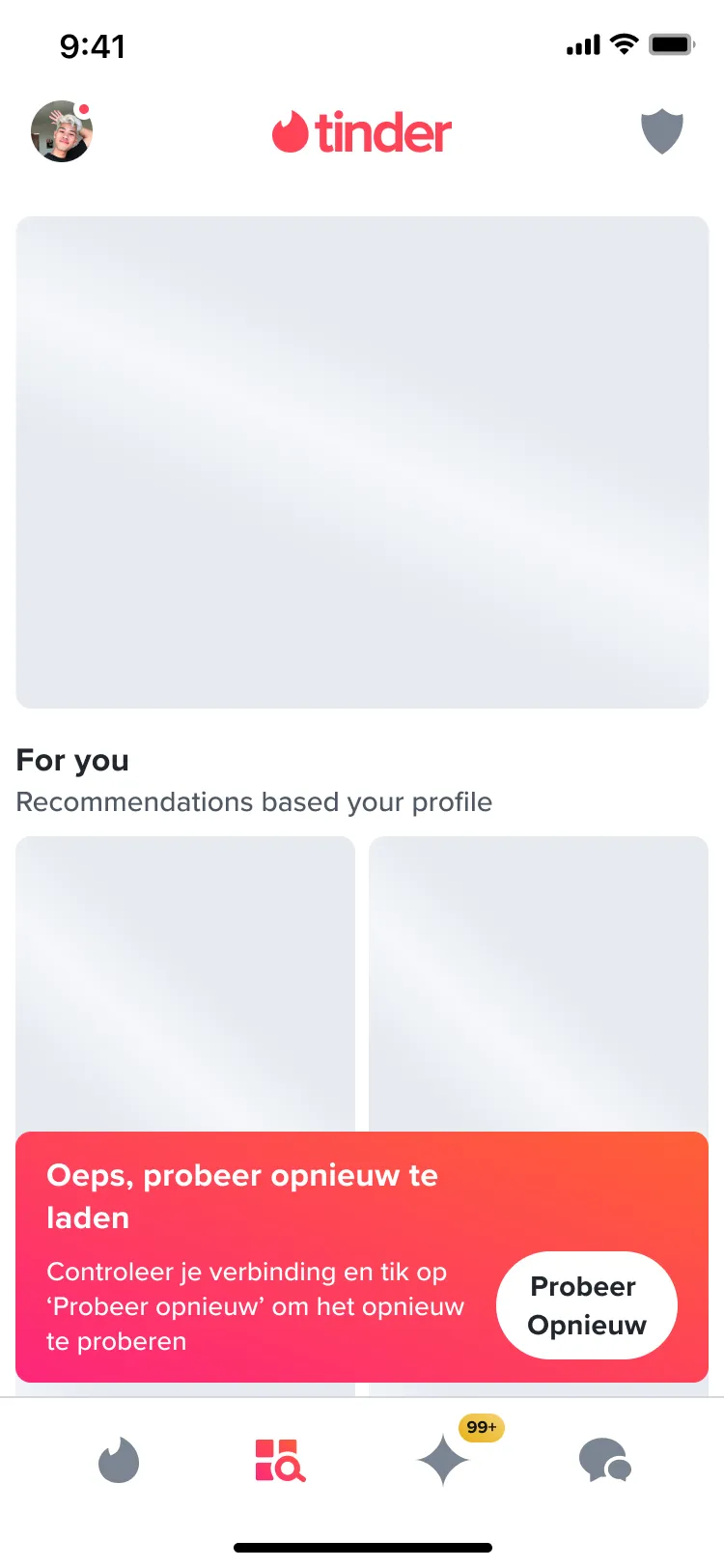
For more than ten years, the swipe has been Tinder’s core mechanic. But giving people more places to swipe had stopped working. Explore, the tab of themed tiles like Free Tonight and Coffee Date, had very low engagement. Even its best tile, Free Tonight, was only opened about 6% of the time, because Explore didn’t feel different enough from swiping on the main card stack.
Tinder’s Gen Z research pointed somewhere else. Gen Z is “desperate for realness”, and moving from online to real life fast is how they get past online dating anxiety.
A quicker path to a first date
Let’s Meet skips the part where two people swipe, match and then try to make a plan over chat. The plan comes first, so anyone who says yes already knows what they’re signing up for.
Tinder today 7 steps
- Create a profile
- Swipe
- Match
- Chat
- Plan a date
- Swap numbers
- Meet
With Let’s Meet 5 steps
- Create a profile
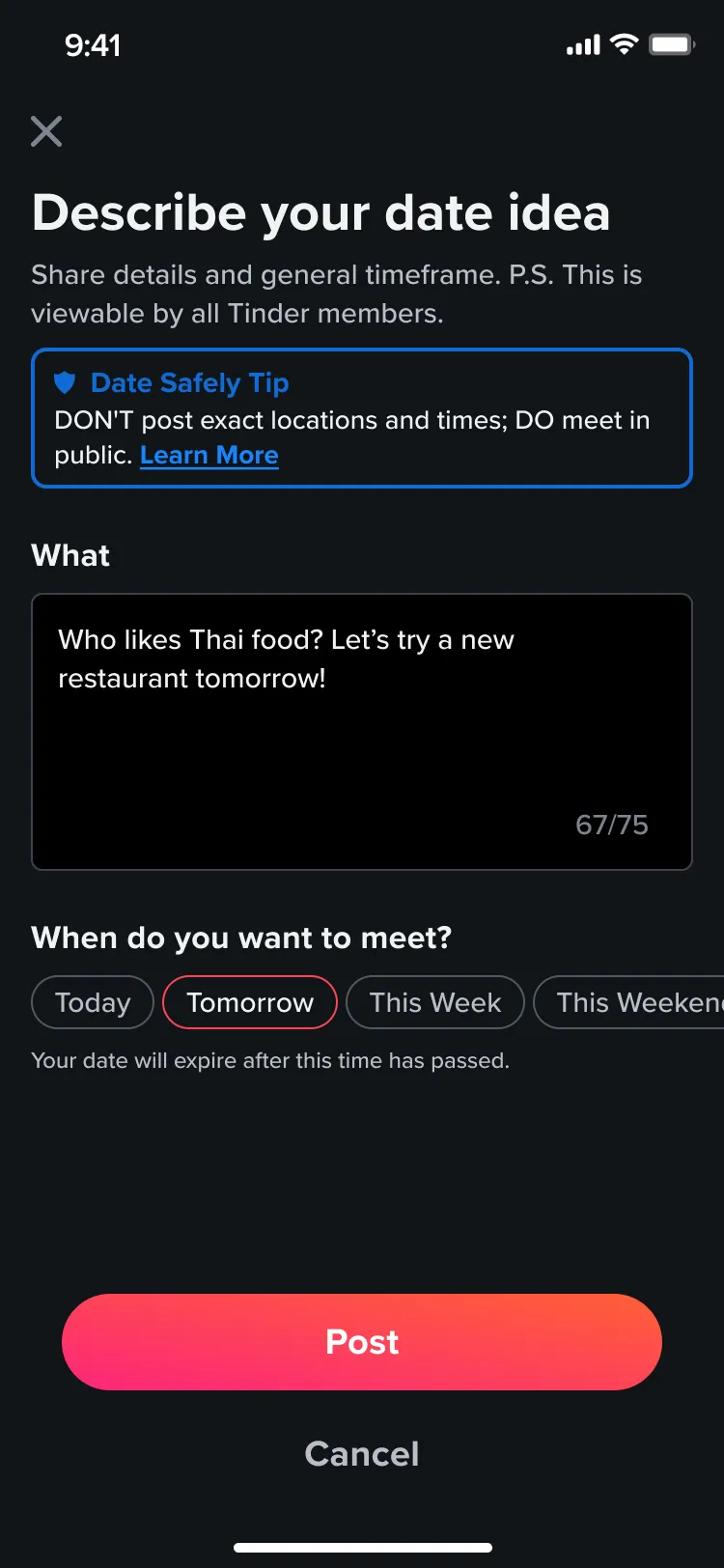
- Post a date idea
- Interested
- Match
- Meet
The brief: What if the date idea came first?
I was the lead designer on Let’s Meet from the first brainstorm to the pilot launch, and the only designer on the team, so I led the discovery, ideation, prototyping and testing, and handed off final designs to two engineering teams, one for iOS and one for Android.
The idea was simple: let people post a date idea to a feed, before matching, and let anyone nearby reply. The hard parts were everything around it. Would anyone post? Would women want to reply? And how do you keep people safe when the whole point is meeting a stranger sooner?
If we create a feature that allows users to post date ideas pre-match, then we will remove friction from the act of meeting IRL and increase user satisfaction with more authentic connections.
The goalsReduce friction for people who want to meet in person quickly, and introduce a way to discover matches that doesn’t rely on swiping left and right.
The work: What I designed and why
It started with a lot of (virtual) sticky notes
My PM and I ran the kickoff as a “How might we” brainstorm. The team filled the board with ideas, from a feed sorted by distance to selfie-verified posters and paying to boost your date.
Plenty of those ideas came back later. Suggested date ideas turned into designs for v1.2, and boosting a post into designs for v1.3.
- How might we…Make this look?
- A feed? A card stack? Could we reuse an Explore tile or an older feature?
- How might we…Curate this?
- How do we keep it feeling curated instead of a free-for-all?
- How might we…Make it appealing to women?
- Mostly men were expected to use it, so how do the dates, and the men, look worth it?
- How might we…Maximize participation?
- How do people find it, and how do we make sure there are enough dates to browse?
- How might we…Monetize this?
- Where does it earn its keep for the business?
Homework first
Before going deep on screens, I looked at what Tinder already knew and what other apps were doing, and kept the testing loop short.
- Gen Z research
- Tinder’s existing research on its fast-growing Gen Z audience shaped the first directions.
- Competitors
- Raya, Timeleft and Bumble, all apps with similar features.
- Fast feedback
- Moderated and unmoderated tests on usertesting.com, so ideas got tried quickly.
- Obsidian
- Everything was built inside Tinder’s Obsidian design system, so it felt native.
Getting people in the door
A new feature hidden behind one tab doesn’t get used, and Explore already had an engagement problem. So instead of a single way in, Let’s Meet showed up across the places people already spent time.
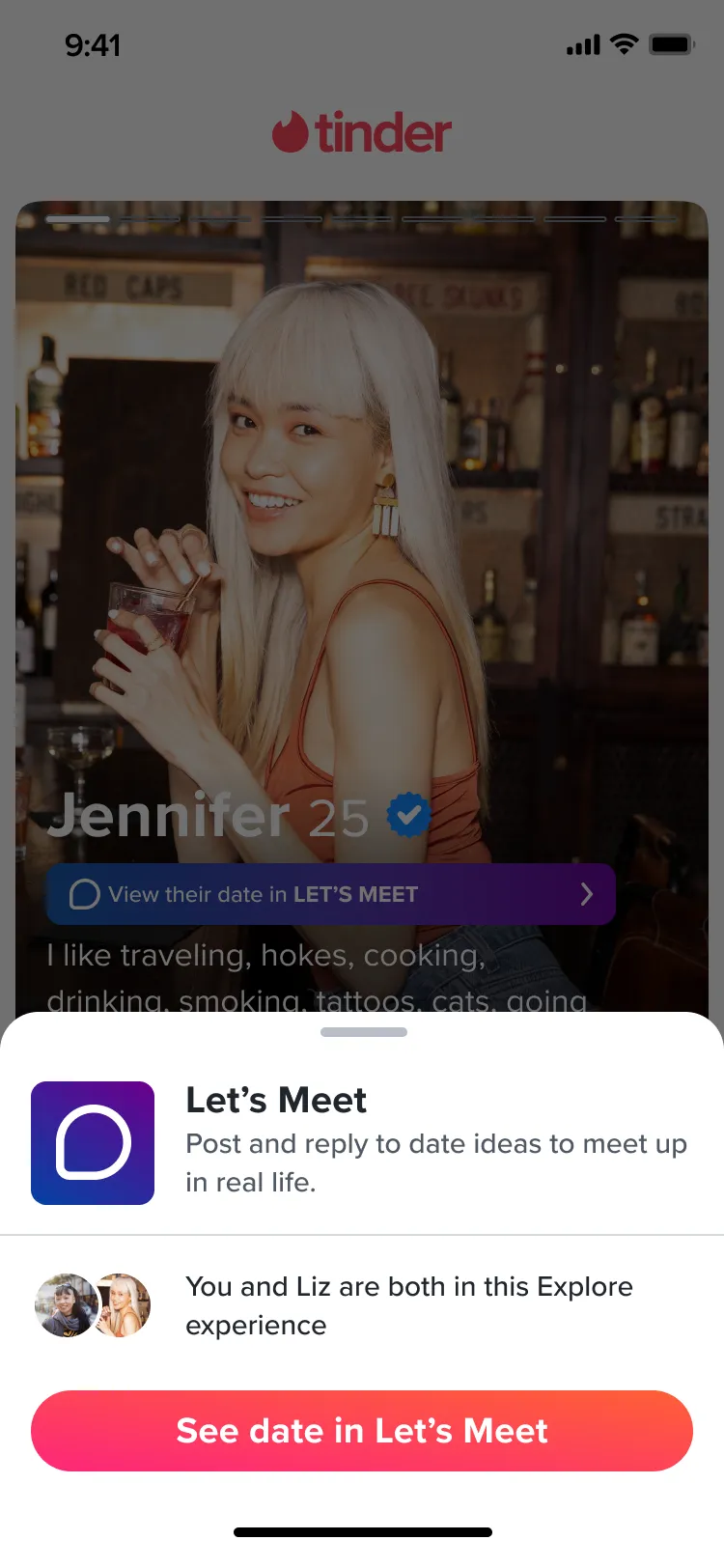
Before a match, that meant an Explore tile, a promo card in the swipe deck and a full-screen intro when the app opened. If someone in your deck had posted a date, their profile linked straight to it. After a match, the match list and chat called out that you’d met through Let’s Meet.


A feed, not a card stack
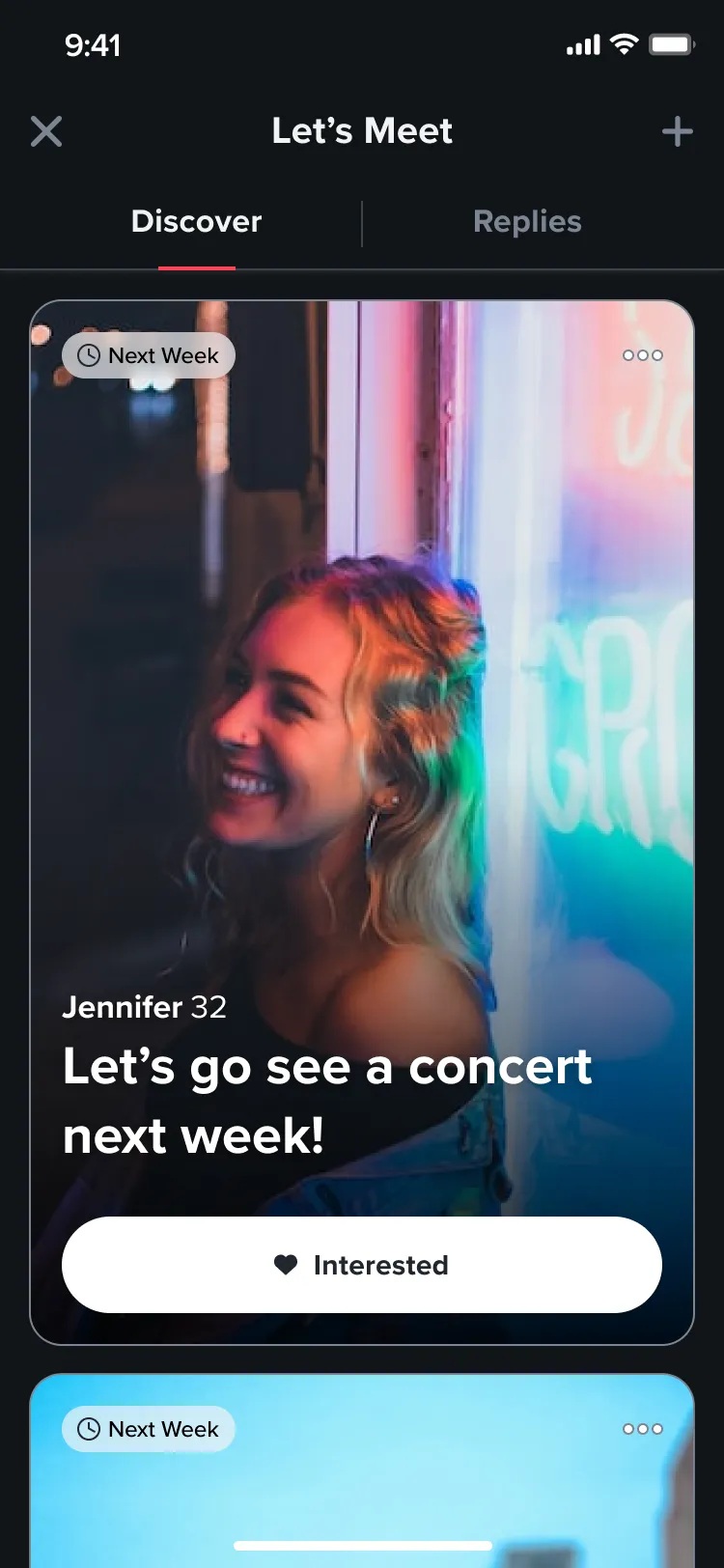
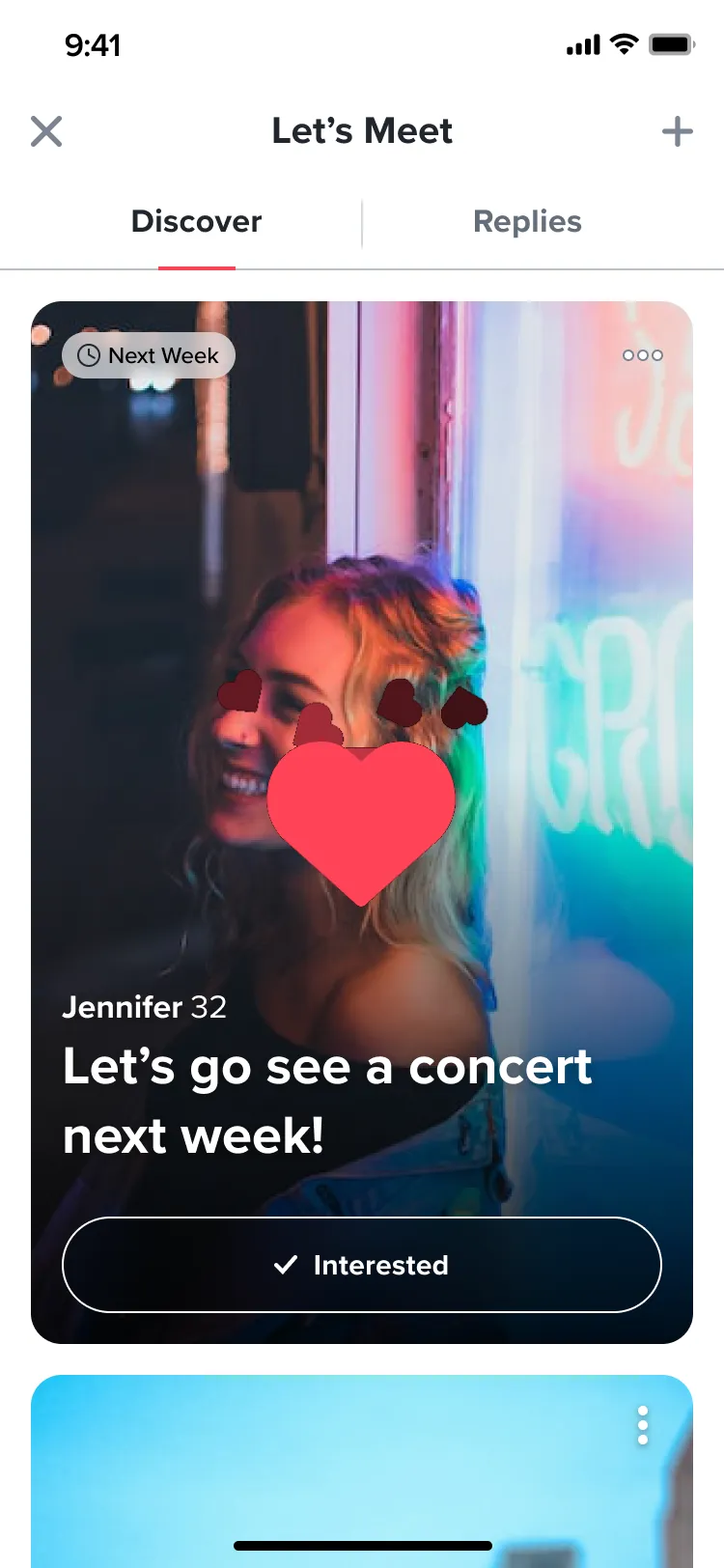
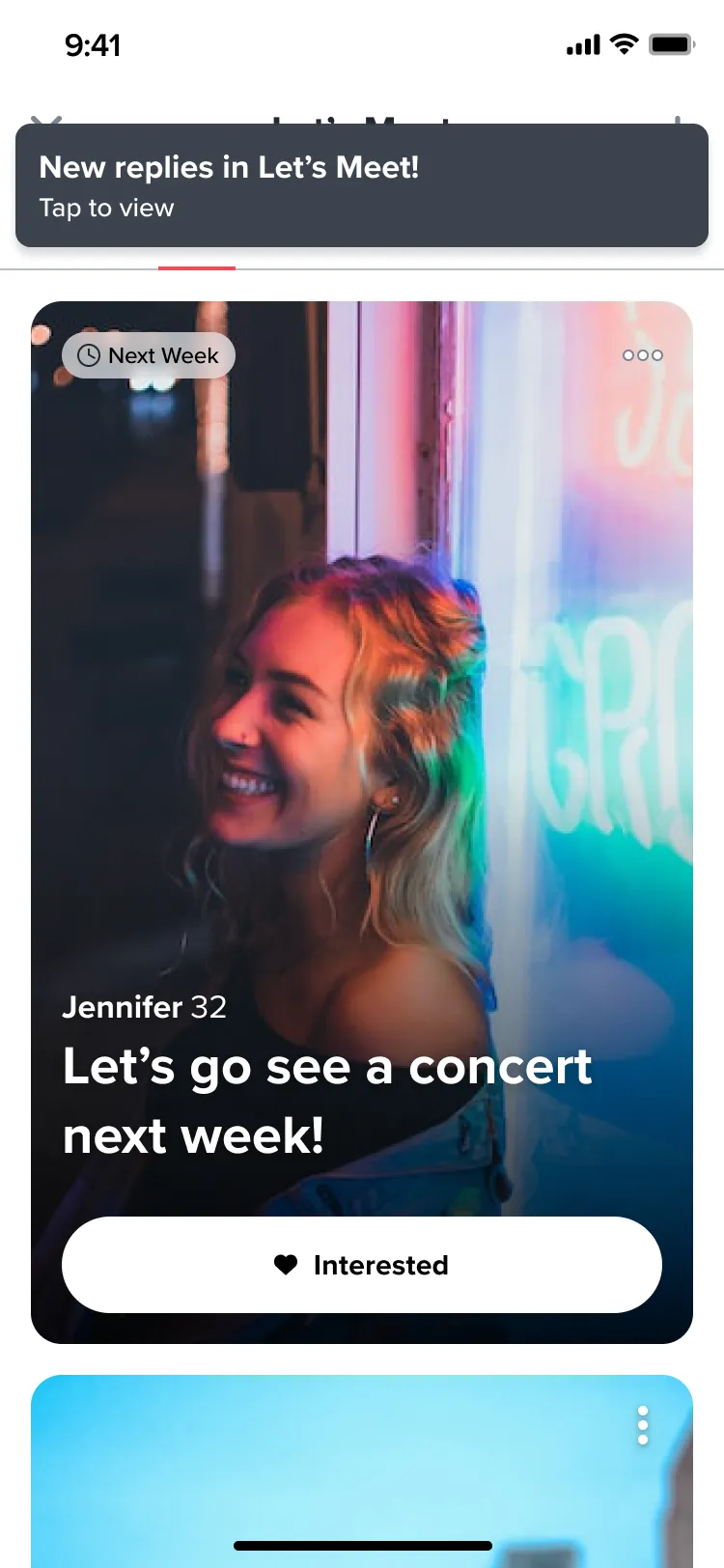
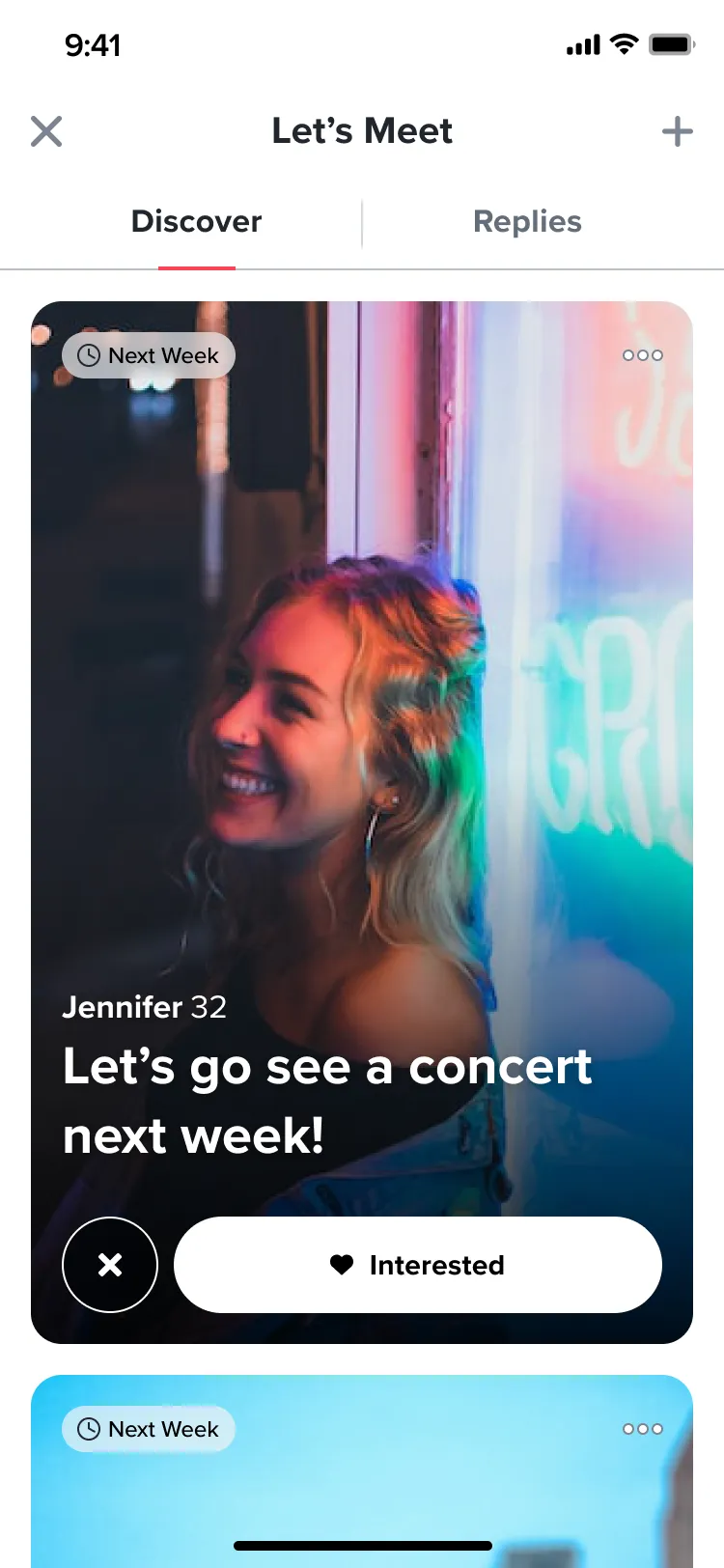
Opening Let’s Meet drops you straight into a scrolling feed of real date ideas from people nearby, whether you’ve matched with them or not. Each post shows their first photo, name, age, when they want to meet and what they want to do.
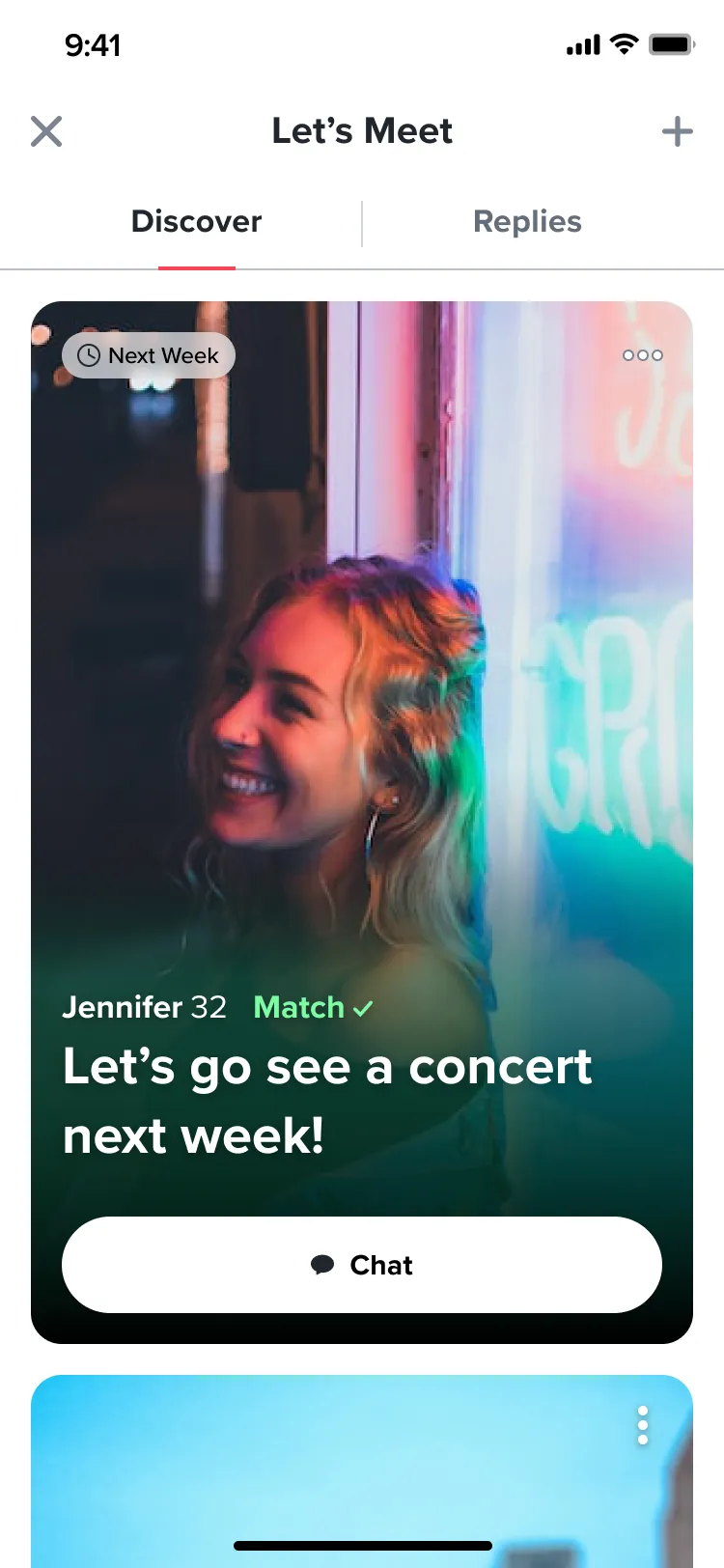
There’s no swiping. You scroll like any other feed and tap “Interested” on the ones you’d say yes to. If you’ve already matched with someone, their button turns into Chat and takes you straight to the conversation. Every card also has a menu for viewing their profile or reporting the post.
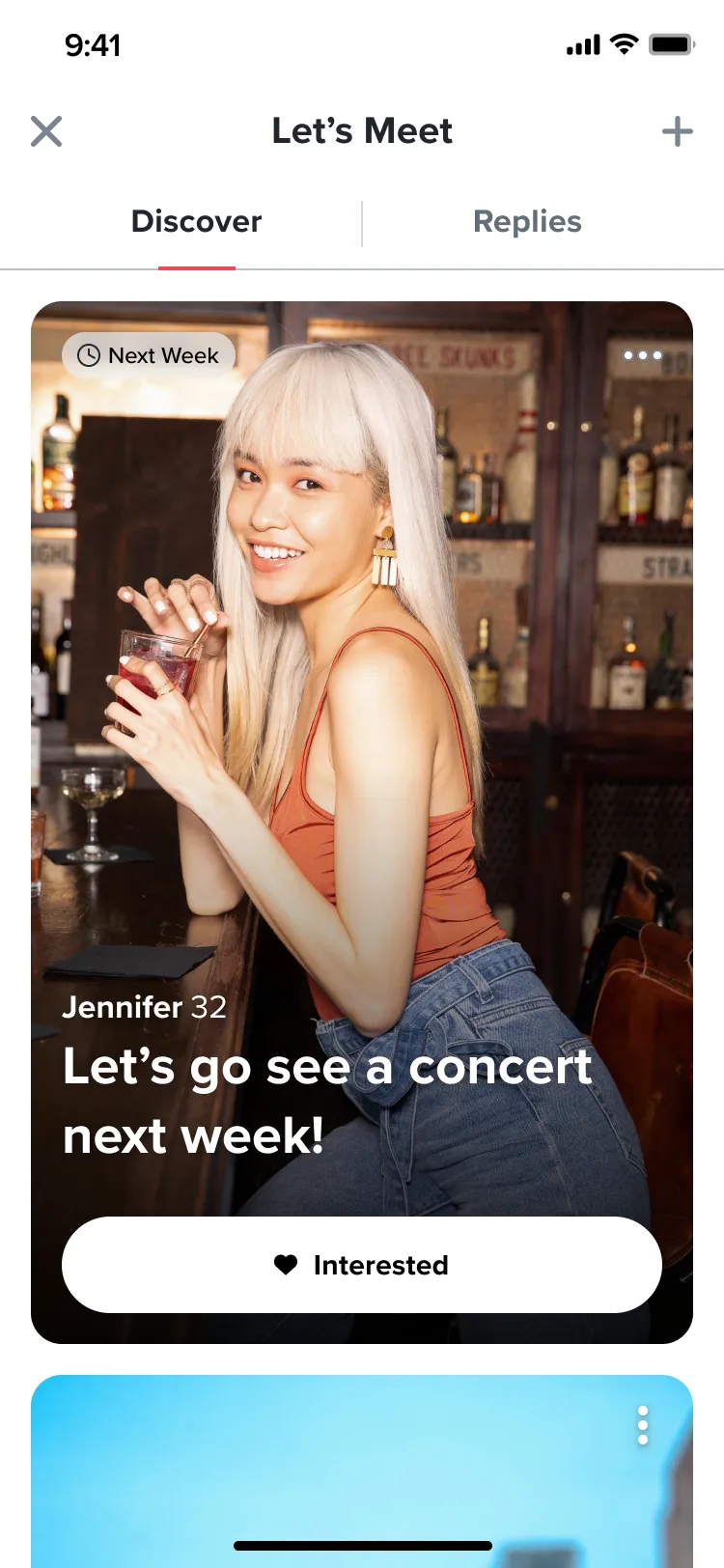
Tapping Interested plays a quick heart animation on the card itself, so you know it worked without another pop-up getting in the way.
Post a date, not your address
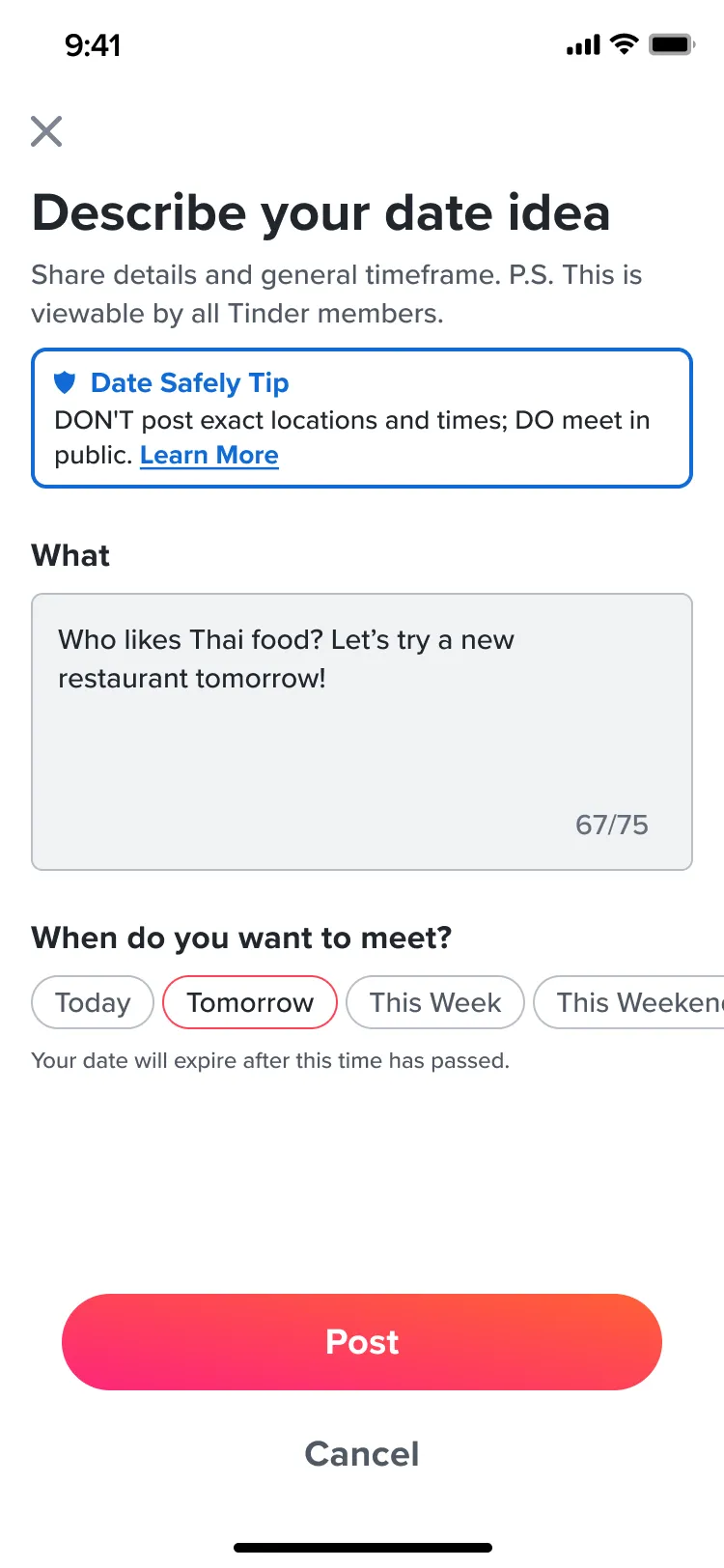
Posting is optional. You can browse forever without writing a thing, and the + button is always there when you want to. A post is a short idea, 75 characters at most, plus a rough timeframe from Today to the Next 30 Days. When that time passes, the post expires. Version 1 kept it to one post at a time, which you could edit or delete whenever you liked.
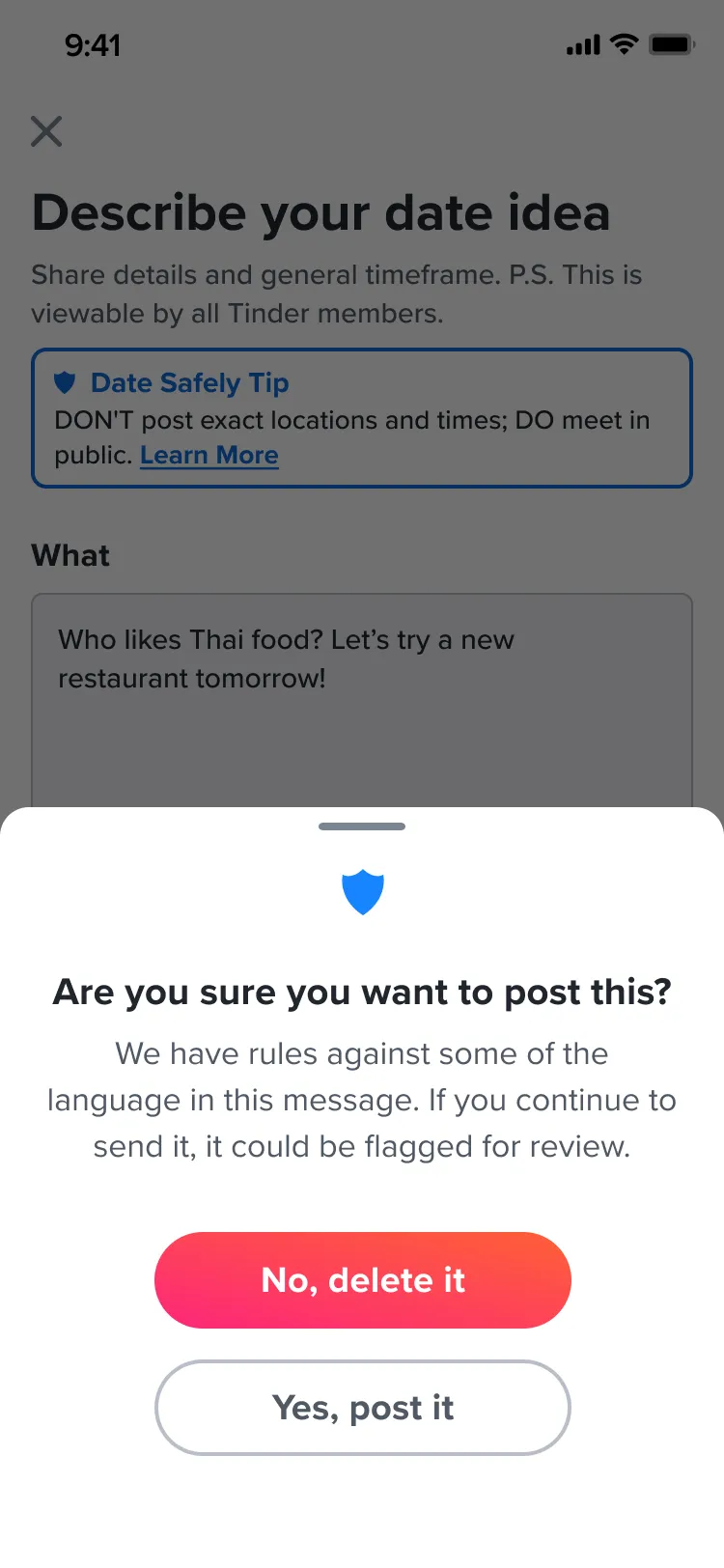
Because the whole point is meeting a stranger sooner, safety couldn’t be an afterthought. I worked with Trust & Safety and Legal throughout. Every post screen carries a Date Safely tip: don’t post exact locations and times, and do meet in public. It links to Tinder’s IRL safety guide. If someone writes something against the rules, the app checks with them before posting and warns that it could be flagged for review.
Replies, and a free peek
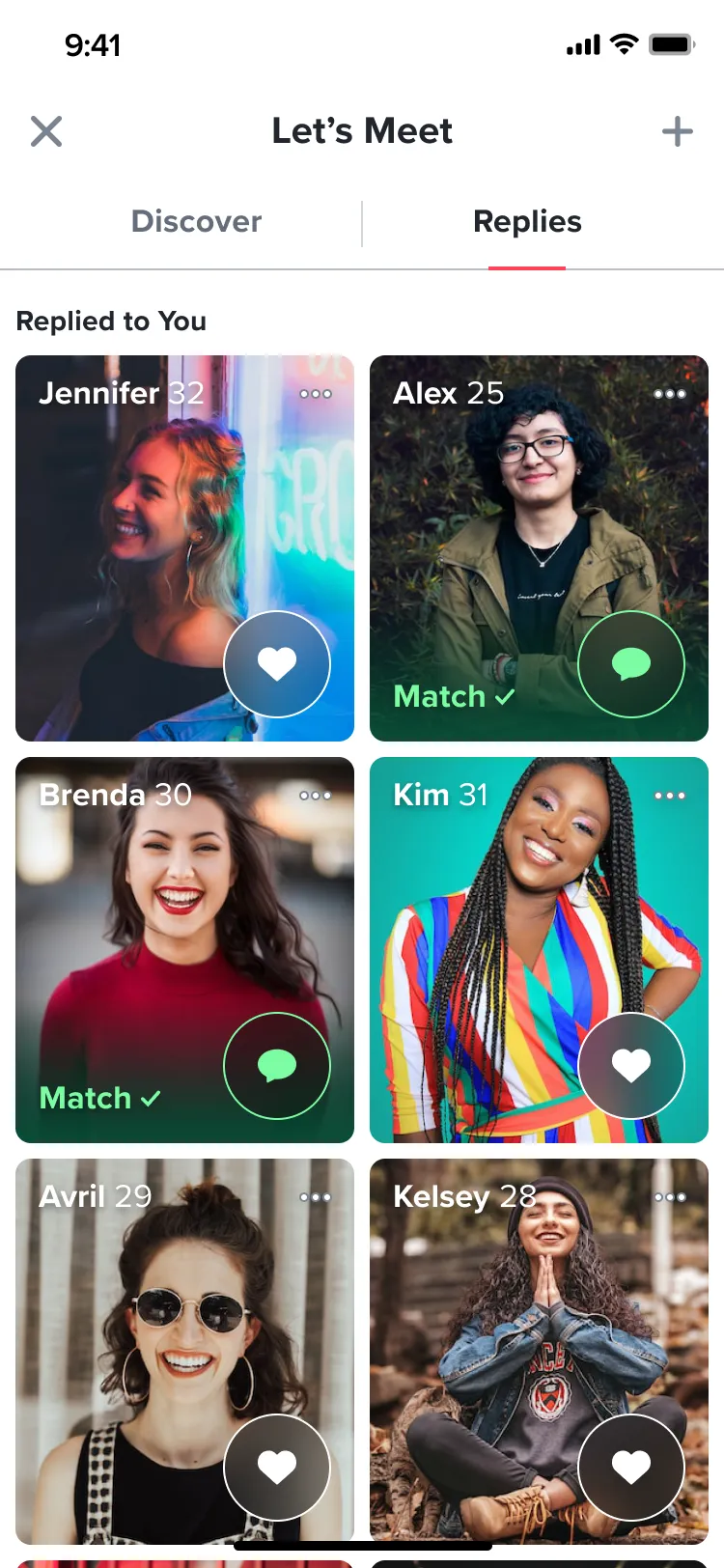
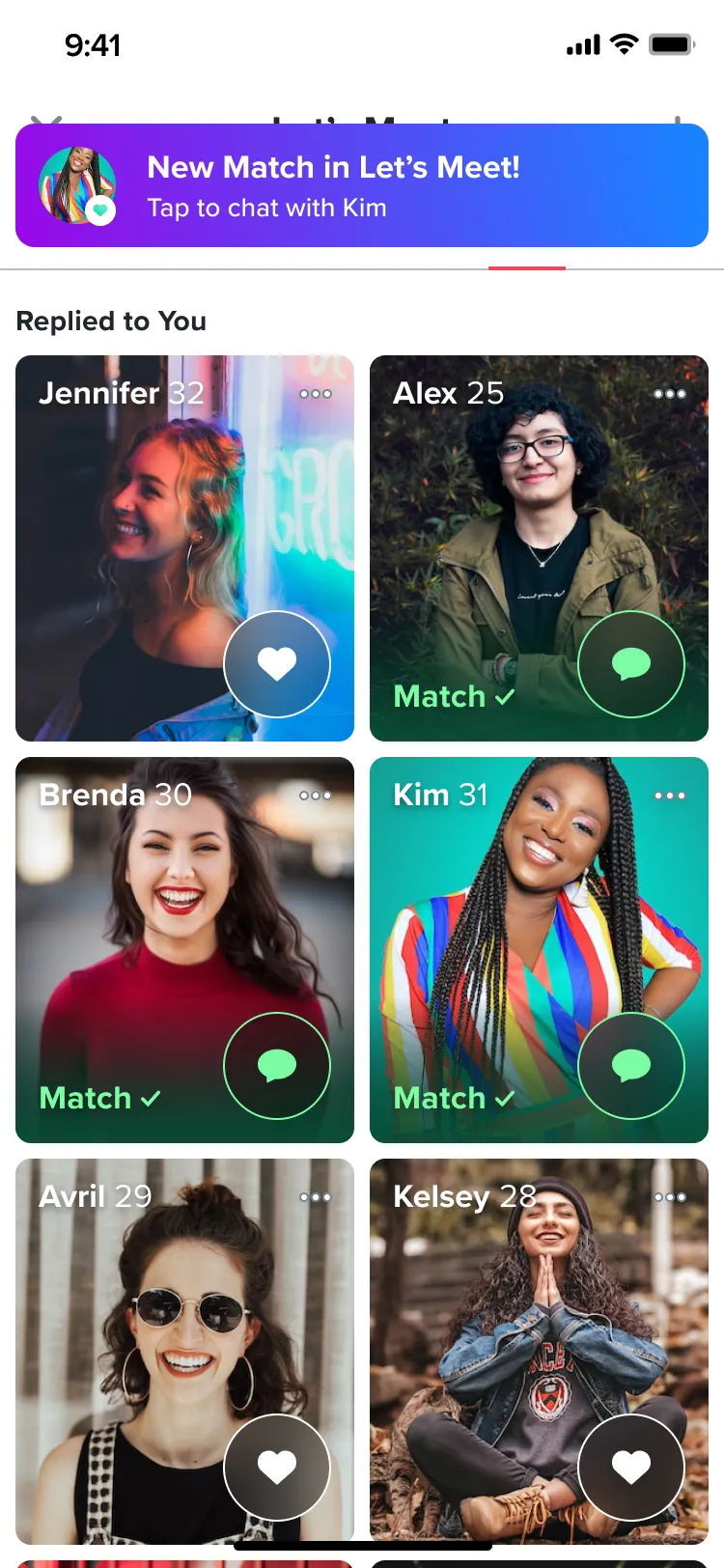
Once your date is posted, the people who tapped Interested land in a Replies tab. A red dot flags new ones, and a banner shows up anywhere in the app when replies come in.
Replies is one of the only places on Tinder where free members see who liked them before they swipe, which is normally a perk of Tinder Gold. Tap the heart on someone and it’s an instant match.
An icebreaker that writes itself
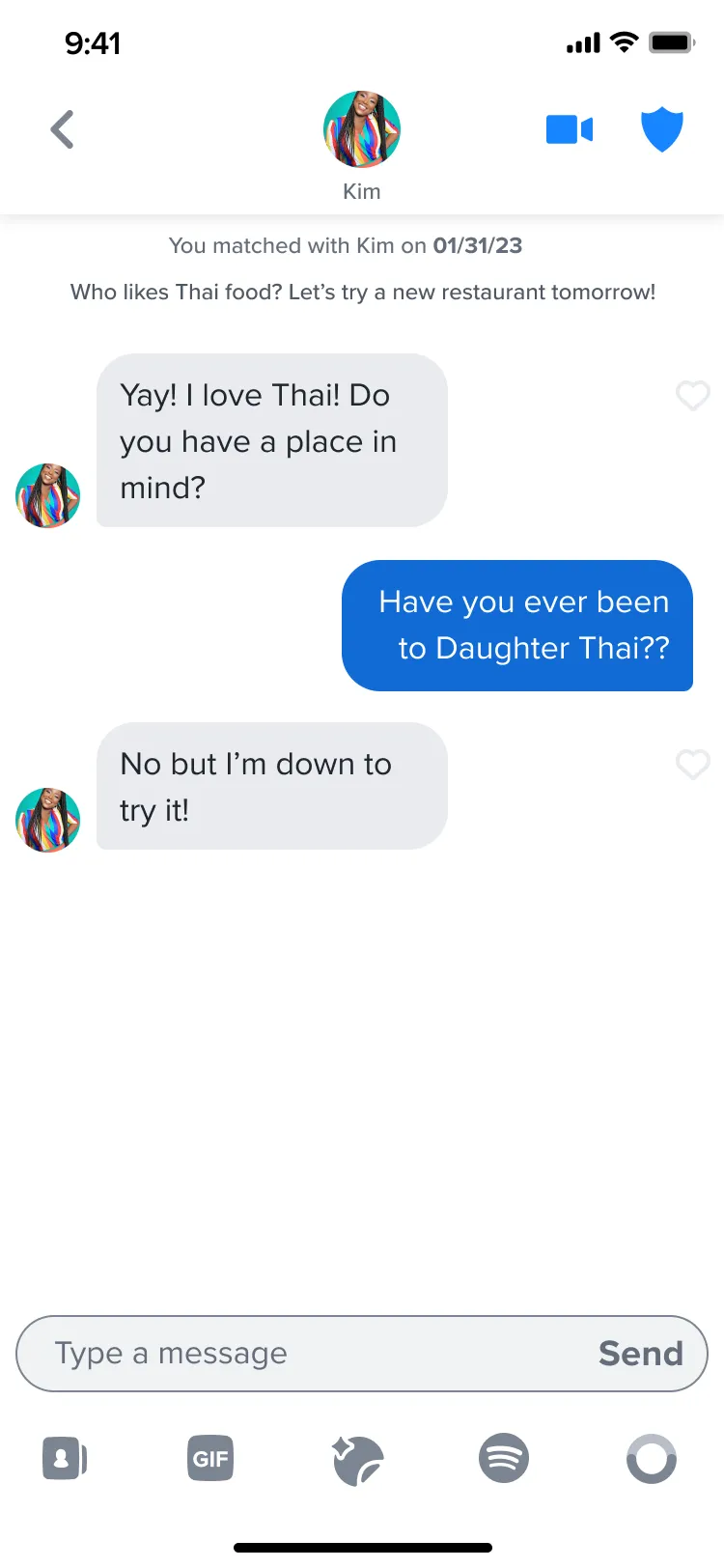
The worst part of a new match is the first message. With Let’s Meet, there’s already something to talk about. The original date idea is pinned at the top of the chat, so both people remember why they matched and can jump straight into planning.
We also designed “Ready to meet?” and “Did you meet?” banners for later in the conversation, but they were cut from version 1.
Built for any language, and for screen readers
Tinder works in a lot of languages, so I couldn’t design Let’s Meet only in English. Components had to handle long translations without falling apart, and the test ran in two very different markets, Thailand and Denmark, localized from day one. I also wrote screen reader labels and tab order into the specs, working with Tinder’s accessibility team.
The test itself ran for 4 weeks on iOS and Android, with users split three ways: a third kept today’s app, a third got Let’s Meet as an Explore tile, and a third opened Explore straight into Let’s Meet. That last group was added on purpose, because a feed of dates is only fun if there are dates in it.
Testing it
Eight people worked through the whole flow in usability testing. They flew through creating, deleting and replying to dates, and called it “a welcome break from the connotations of swiping”.
- “Replies” was confusing. 3 of 8 expected a list of chat messages under that tab.What it led to: New copy for the tab, so it reads as people who said yes, not a chat list.
- Interested felt like a dead end. 5 of 8 expected something to happen next, like event details, timing, message prompts or sharing their availability.What it led to: A next step after Interested, like adding a message or sharing when you’re free.
- Lots of people would rather reply. Some were shy about posting a date of their own, but happy to respond to others.What it led to: Date suggestions, so nobody starts from a blank box. More on that in What changed.
Planning to fail, on purpose
Before the launch data came in, we tried something new for the team: a pre-mortem. We listed every reason Let’s Meet might flop, then designed fixes for the likeliest ones, so we could move fast if any of them came true.
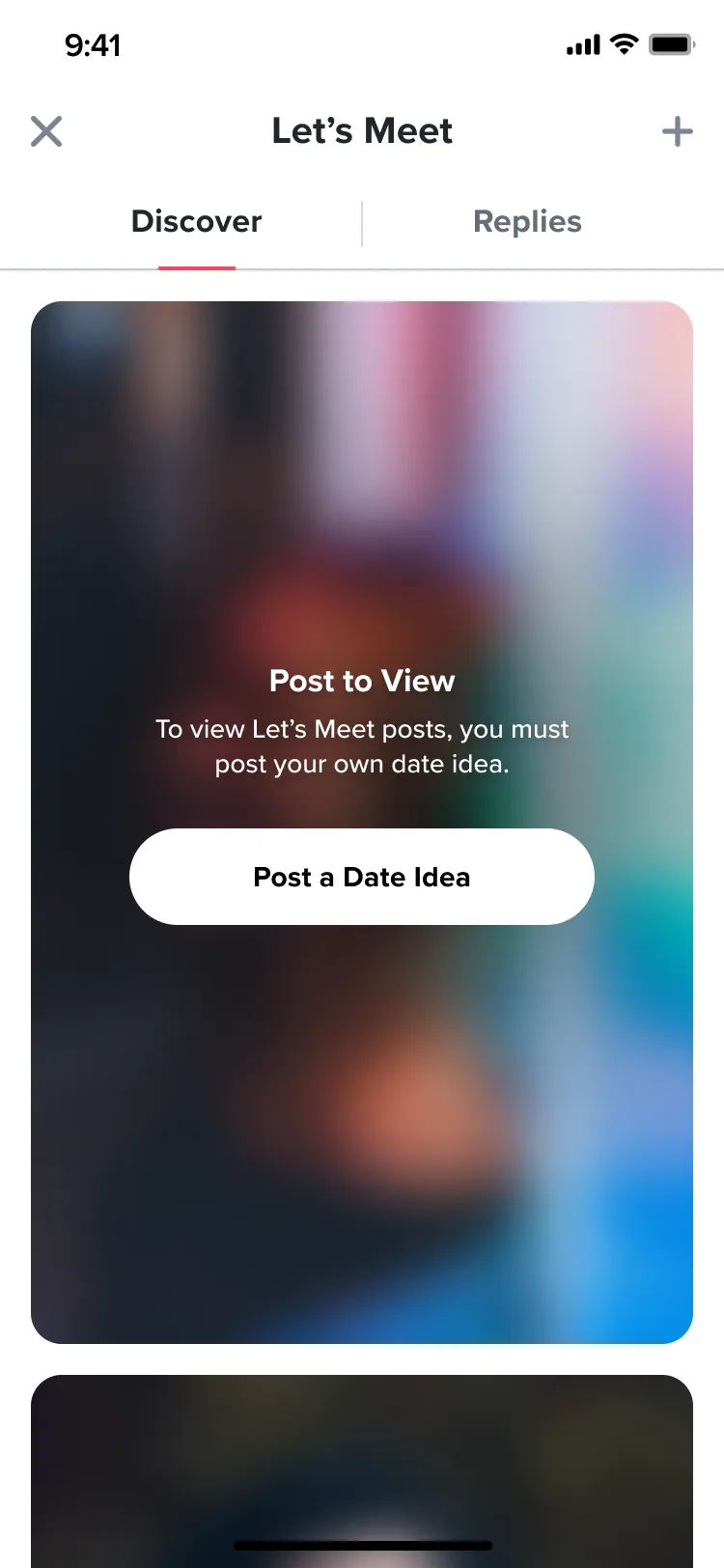
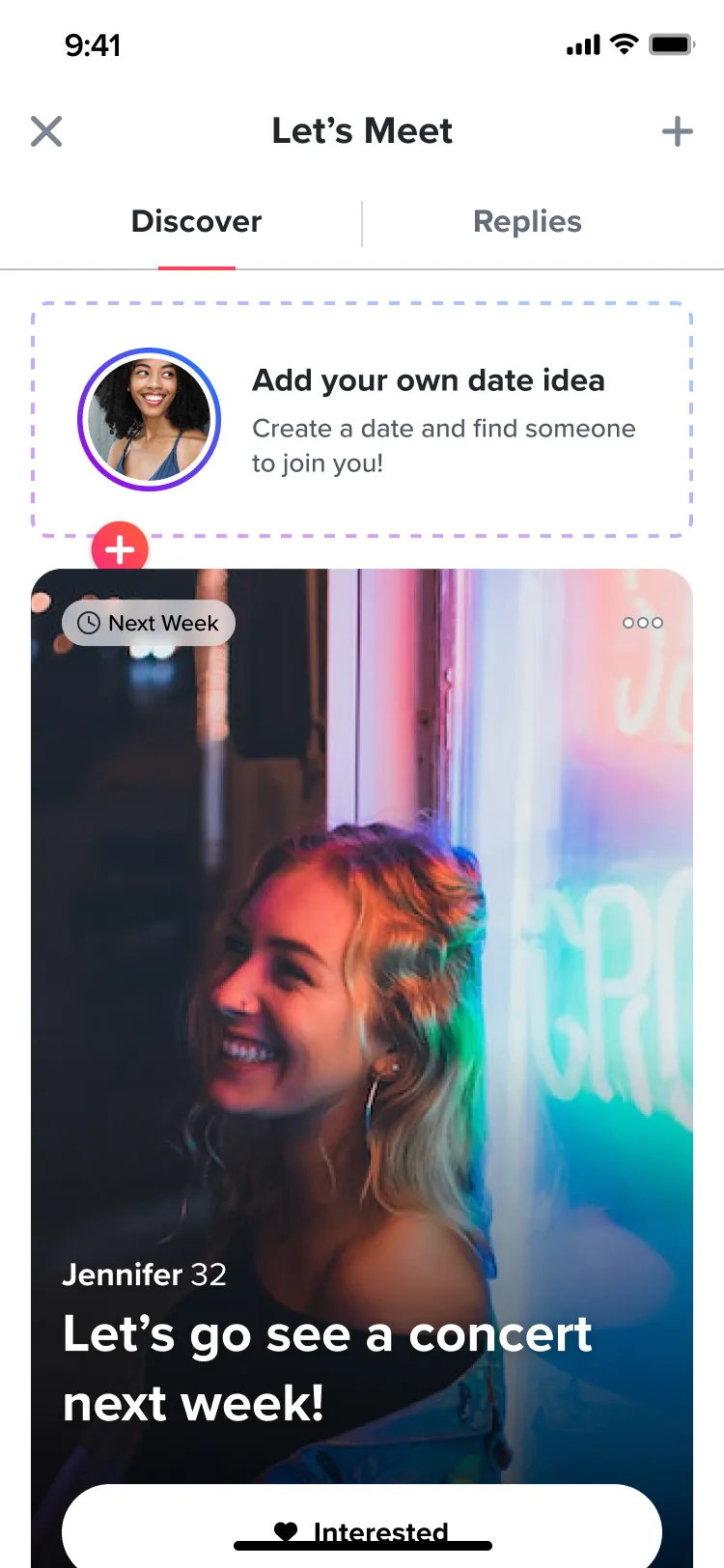
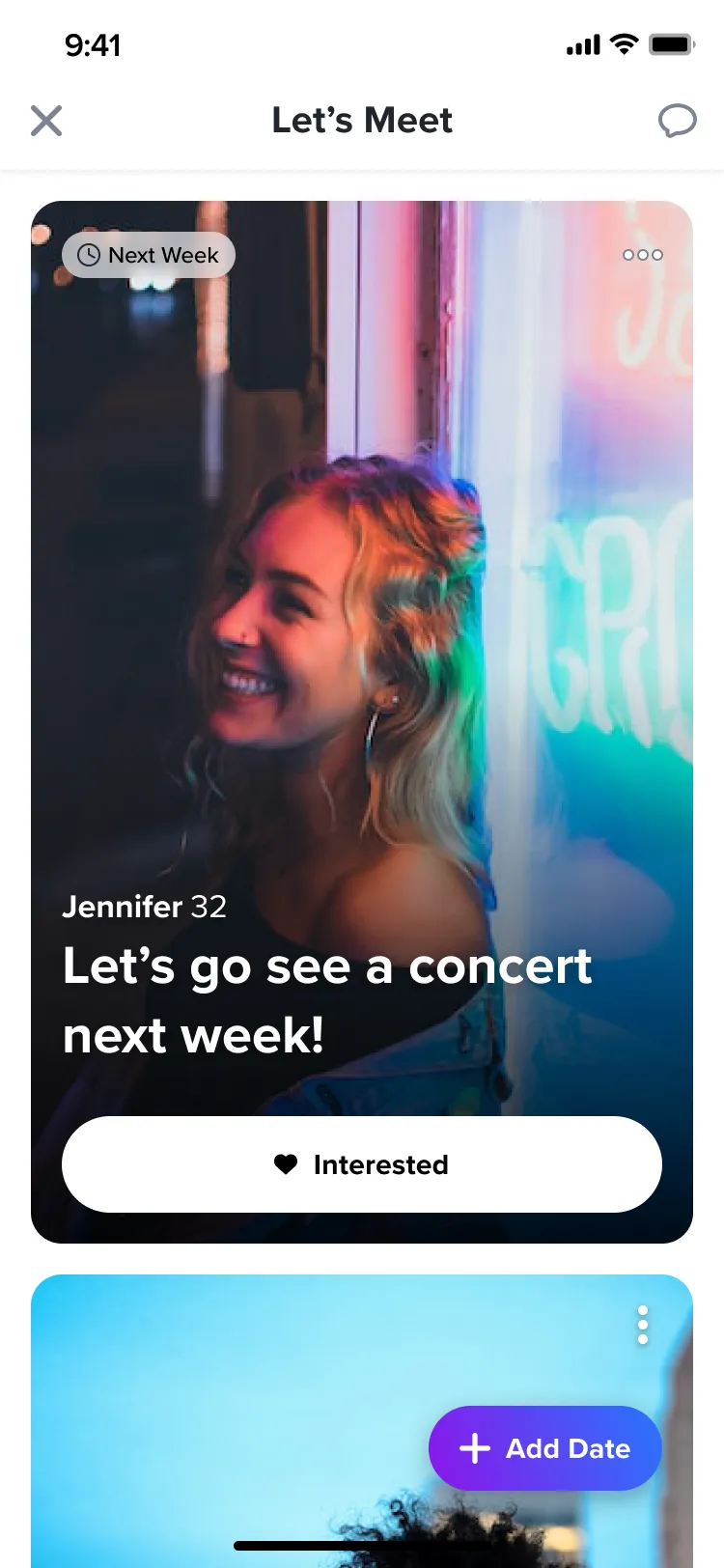
Our biggest bet was that writing a post from scratch would be too much effort, and that people would reply far more than they posted. The fixes we explored included a blurred feed until you post, an “add your own date” card in the feed and a floating Add date button.
What if…
What changed: People loved replying. Posting, not so much.
The pre-mortem called it: people replied far more than they posted. And women’s swipe-right rate went up during the test, which was historically one of the hardest numbers to move at Tinder.
One note on that metric: Tinder calls it the “swipe-right rate” because that’s what it has always tracked. In Let’s Meet it really counted taps on Interested, since the whole idea was to move away from the swipe.
Measured in the test
+19.2%
higher swipe-right rate among women, compared with the average across all of Tinder
- 4×
- as many people replied to a date as posted one: 12.4% of people who opened Let’s Meet replied, and 3.1% posted
What the numbers led to
The numbers also showed a problem: men wrote about 75% of all posts, but only 41% of the dates men posted were ever seen by women.
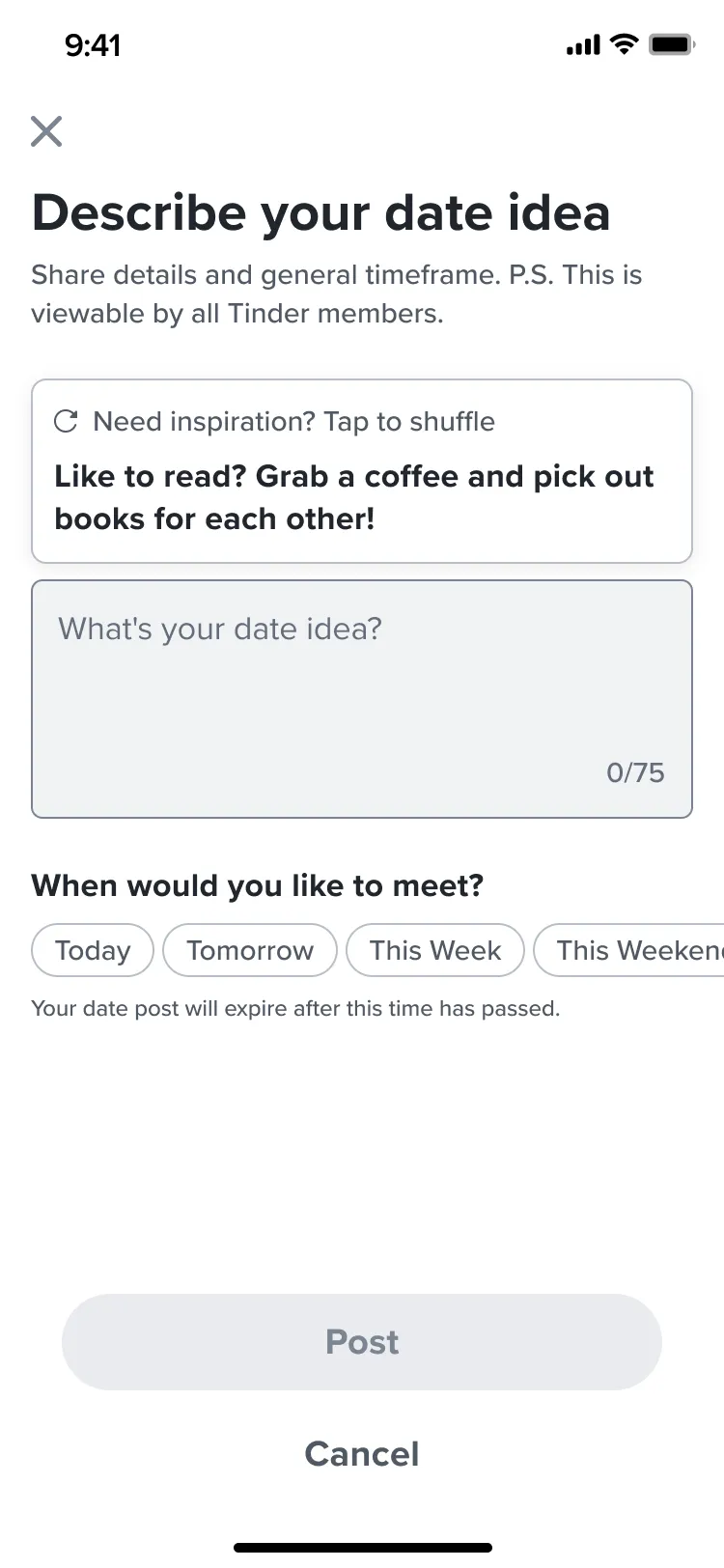
That gave us two problems to solve, and I designed fixes for both in version 1.2. For the blank-page problem, a “Need inspiration? Tap to shuffle” prompt suggested date ideas. In design review, the team preferred the direction that inspired people over one that let them copy and paste a ready-made date. For the posts nobody saw, a Not Interested button let people pass on a date and clear it from their feed, just like passing on a profile in the card stack. Paired with a new way of ranking which posts show first, it would help each post reach more people.
Version 1.2 never shipped. Let’s Meet was sunset before a full launch, and never went live in the state I left it. But the testing and design work fed into later Tinder features.
Looking back: Foursquare isn’t dead.
We had plenty of ideas about partnering with apps like Foursquare to bring in real places and events for people to meet at. Looking back, I think that would have done a lot of heavy lifting. It would have given people date ideas, made a plan with a stranger feel more trustworthy, and helped more people try the feature.
And a lot of what we designed at a high level, like date suggestions, would be so much easier to build today with AI. If we were starting now, those features could have made it into the first version instead of waiting in line for 1.2.
Kind words from my PM
He has the extremely unique ability to create gorgeous AND thoughtful designs in record time, and it allowed us to iterate incredibly quickly… He’s a receptive ear to a multitude of ideas from across the team, but also knew when to voice firm opinions to advocate for the user experience. I’d probably be willing to do a Mad Max-style cage match to get to work with him again.
 Kristina Rettig (opens in a new tab)PM on Let’s Meet at TinderRecommendation on LinkedIn, September 2023 (opens in a new tab)