At a glance
thenorthface.com had fallen behind. All-caps headlines, icons pulled from a handful of different sets and cramped layouts made a premium brand look ordinary, and The North Face wanted to be seen the way people see Patagonia.
I led the redesign. I rebuilt every component on the site, from the icons to the type, tested it with more than 1,000 people, and turned it all into one design system.
In a blind test with the logo hidden, people guessed the redesigned product page was selling something 36% more expensive. Same jacket.
- My role
- Lead designer on the website redesign
- Team
- A design director, a PM and a researcher, working with The North Face’s Creative Director
- Timeline
- About 4–5 months, launched August 2021
The old way: A premium brand that didn’t look the part.
The North Face had new in-store marketing, but the website hadn’t caught up. In early interviews, stakeholders told us the site was falling behind modern design standards.
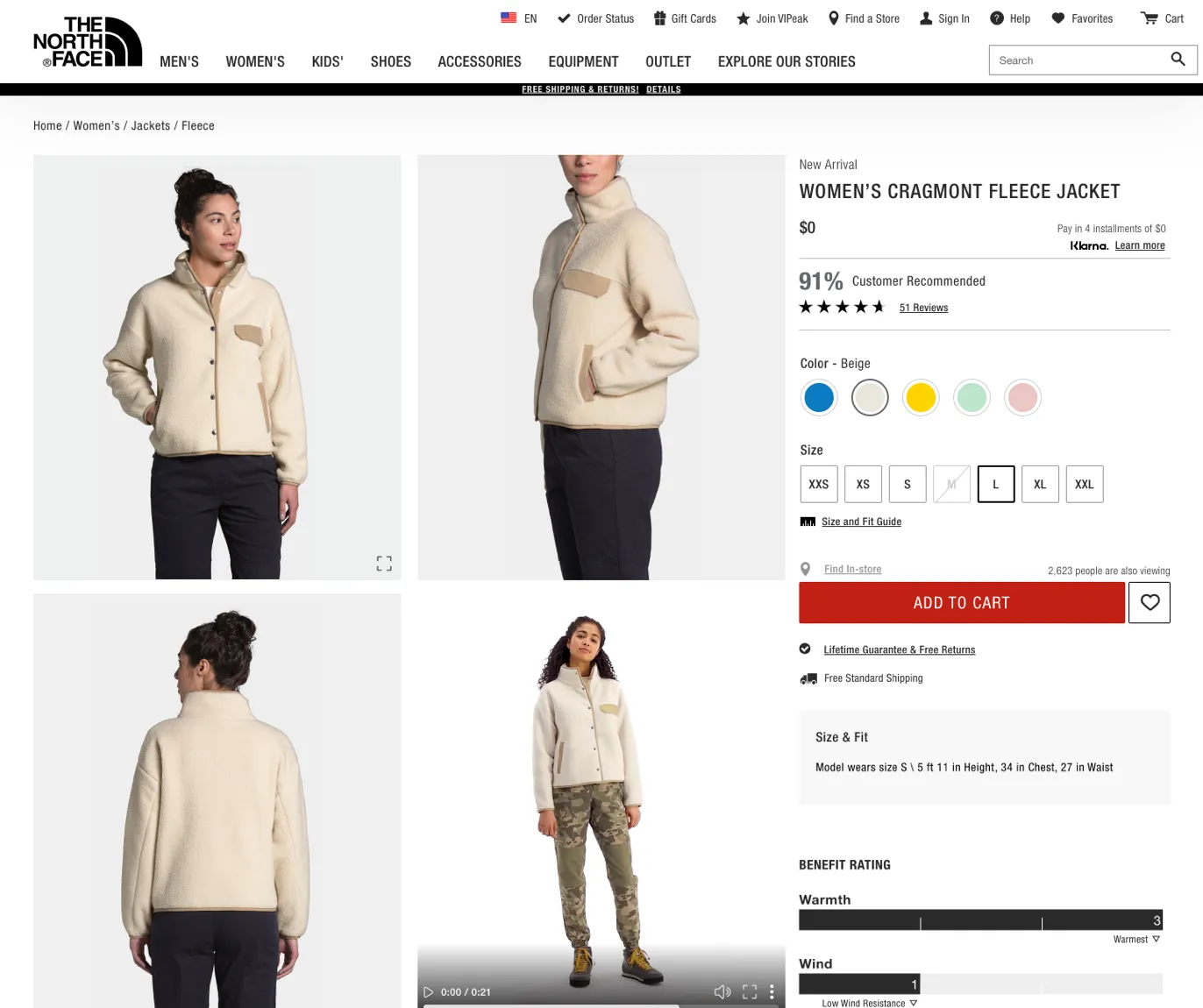
You could see it everywhere. The icons came from a bunch of different sets, some filled and some outlined, at all different sizes. Headlines were set in bold, all-caps Helvetica that read as loud, sharp and masculine. Padding was tight, and the homepage’s components all looked alike.
The brief: Look more premium… but start in a van?
The North Face wanted to be seen as a higher-value brand, on the same level as Patagonia. A tech stack upgrade was coming anyway, which made it the right moment for a new look across the whole site.
This was an in-house project at VF Corporation, The North Face’s parent company. I was the only designer on the team, working with a design director, a PM and a researcher, and closely with The North Face’s Creative Director. Beyond a better look, we saw a chance to make life easier for the designers and developers who’d maintain it, with a design system that could eventually be white-labeled for other VF brands.
Our VP of Design had a metaphor for how we’d get there, and it gave the project its name. Start small and live in a van: that was the first release, and why we called it #Vanlife. Move up to a cabana next. Then, once the design system was live and every site ran on it, move into the mansion, with all the bells and whistles.
The work: What I designed and why
Asking the people who know the brand best
The project started with interviews with stakeholders across the brand, each an expert in a different part of The North Face. We asked what people should feel when they land on the site, which words describe the brand, what other sites they look to, and what bugged them about the homepage.
The same words kept coming up: premium, timeless, minimal and elevated. Alongside those, people wanted the site to tell stories without losing sight of selling, and to connect that storytelling to the shopping experience.
Shopping the competition
Next, we put The North Face side by side with other outdoor brands: Patagonia as the direct competitor, Burton and Fjällräven on the hip and crunchy end, and Canada Goose and Arc’teryx on the luxury end.
We tested how people talked about each site: the words they used, what they noticed, and how likely they’d be to shop there. It gave us a picture of where The North Face sat, and what “premium” looked like to real shoppers.
Drawing a new icon set from scratch
One of the first things I did was build a new icon set from scratch. The old set was clearly pieced together from a bunch of others: some icons were filled, some were outlined, and the sizes were all over the place. It made the site look a bit amateur, which is the opposite of “elevated”.
After a lot of exploration, including icons drawn from The North Face’s own products, and feedback from the brand and from users, we landed on an outline style with a bit of extra roundness.
Helvetica, minus the yelling
The North Face has used Helvetica for years to match its Half Dome logo, so we kept it. What changed was how it was used, everywhere from headlines to body copy to buttons.
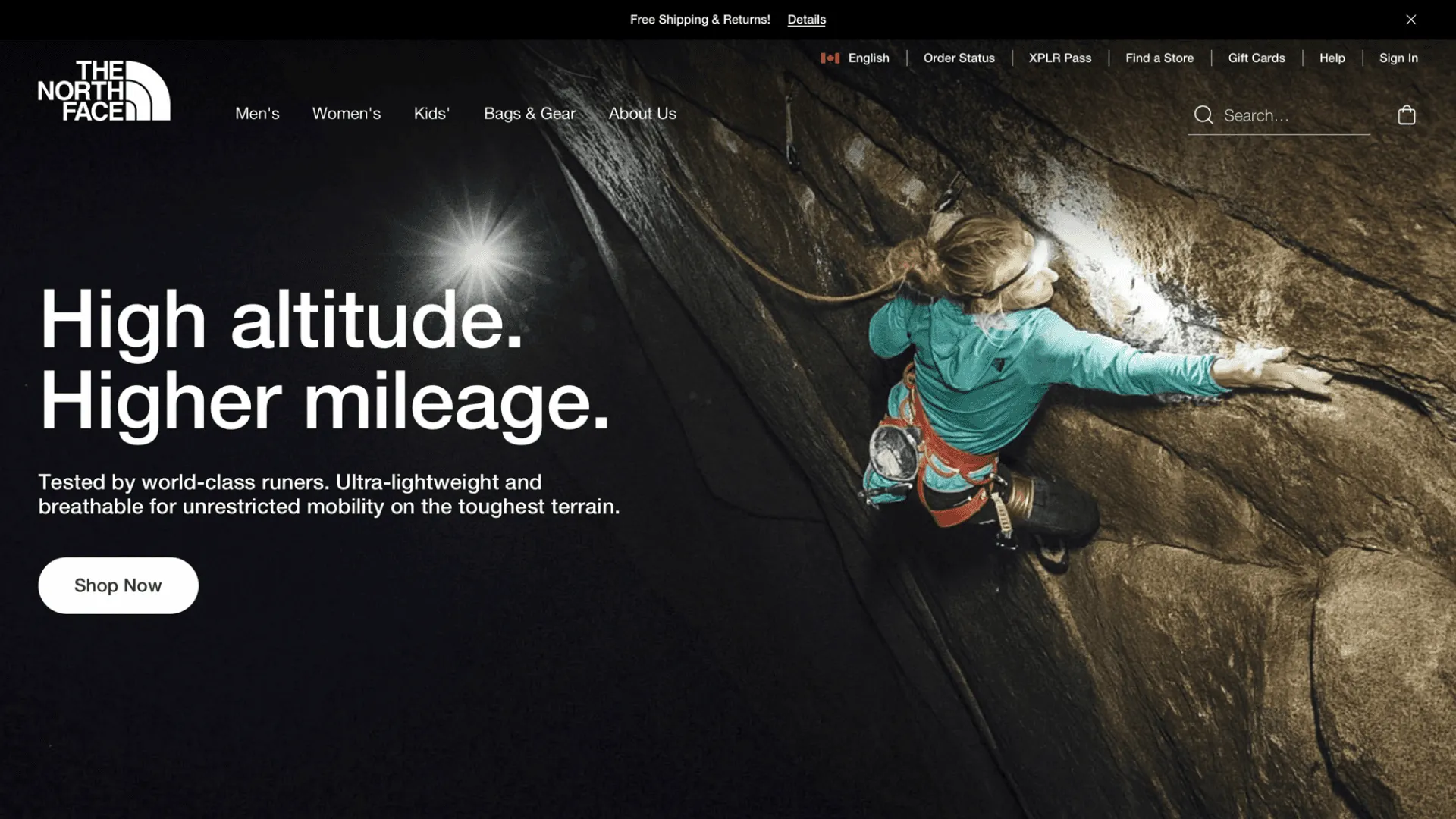
Interviewees kept saying the site felt masculine and sharp, mostly because of the “yelly” all-caps headlines and heavy weights. So I took out all caps entirely, and made Medium, a 500 weight, the boldest type on the site. It softened the voice and brought in a lightness that had been missing.
A homepage with more building blocks
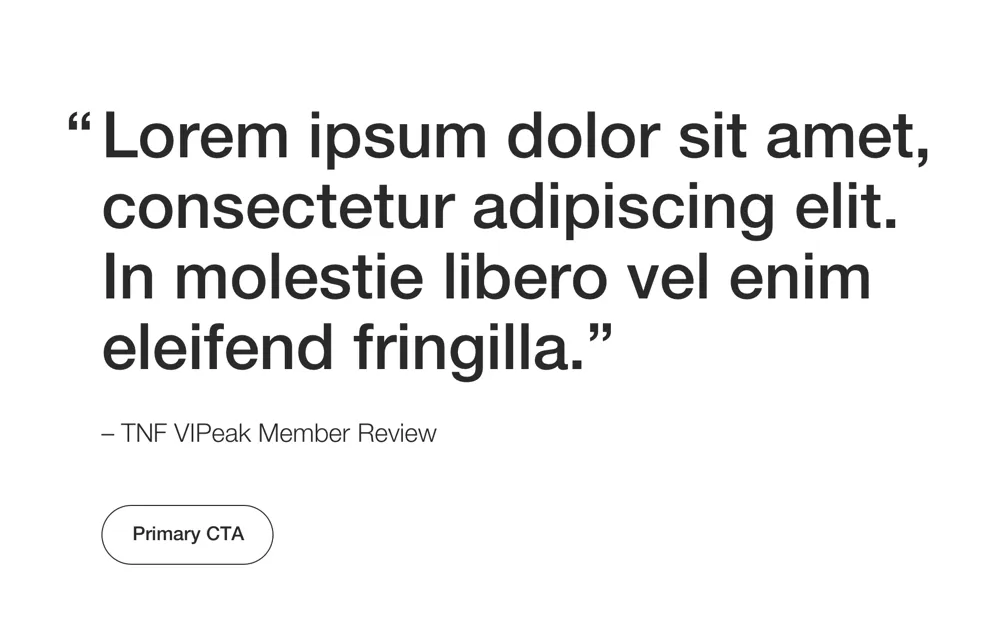
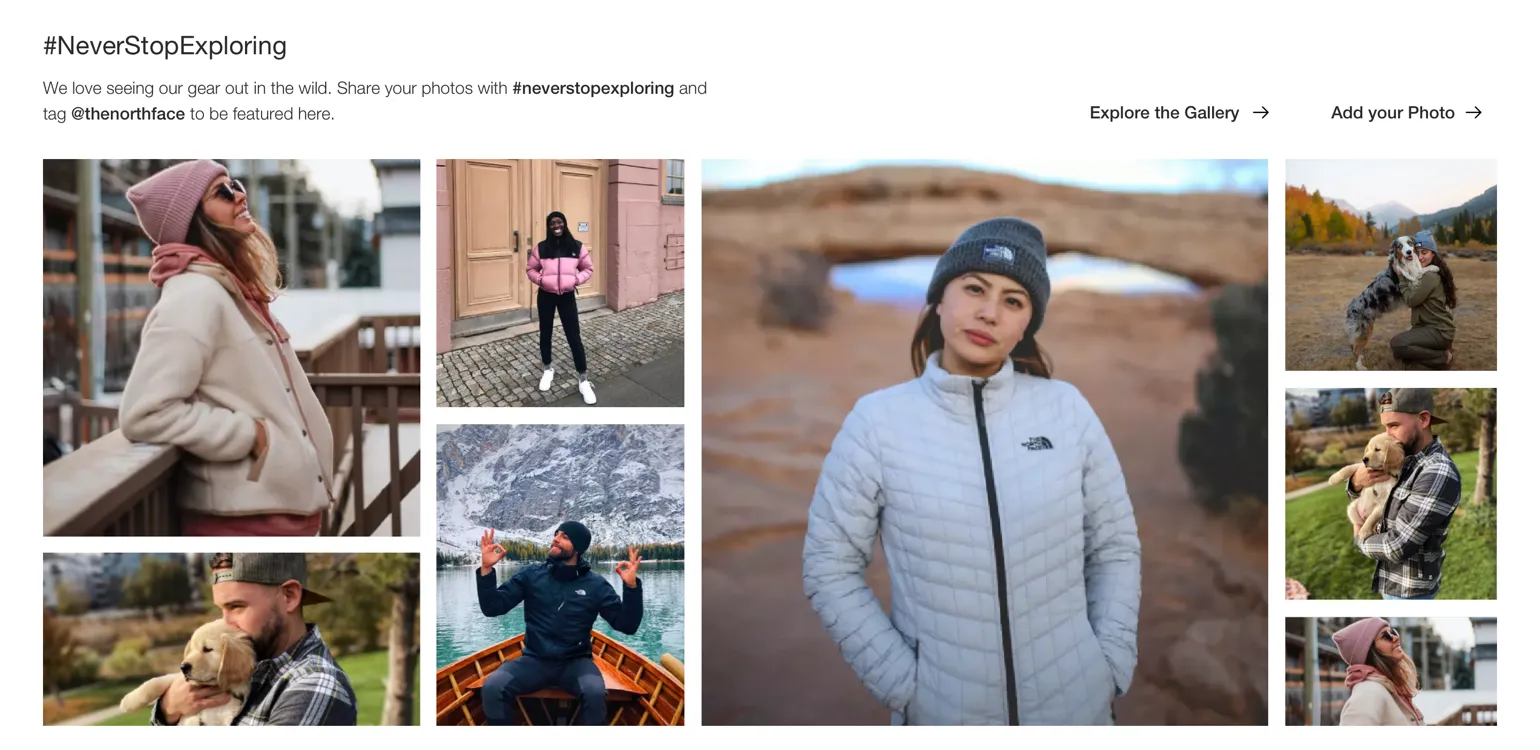
Most of this project was visual, but the homepage was where I had room to change how things worked. The people who build pages in the CMS wanted more unique building blocks, so they could make landing pages for different stories and sales moments.
The old homepage had tight padding and components that looked too much alike. The new set gives each block room to breathe and a clear job, while staying reusable. Here’s the set.
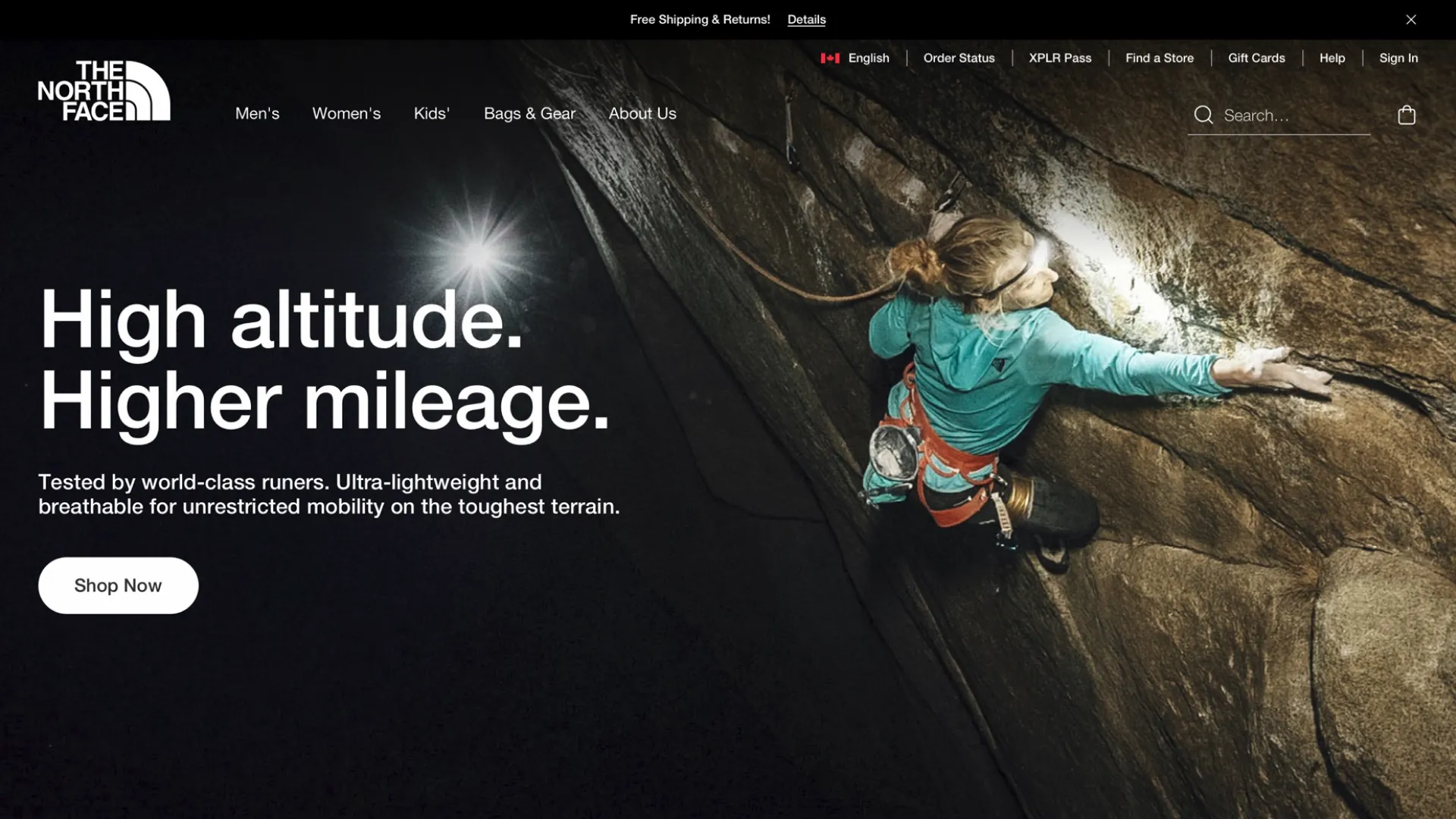
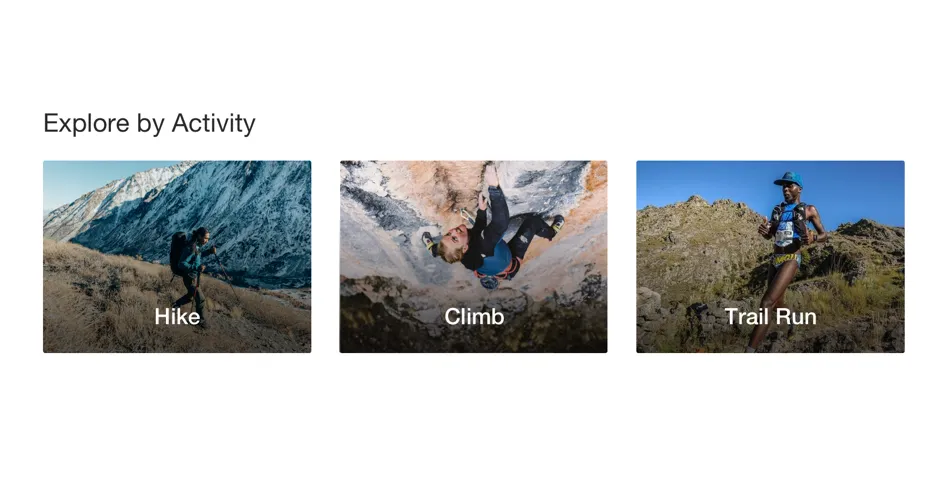
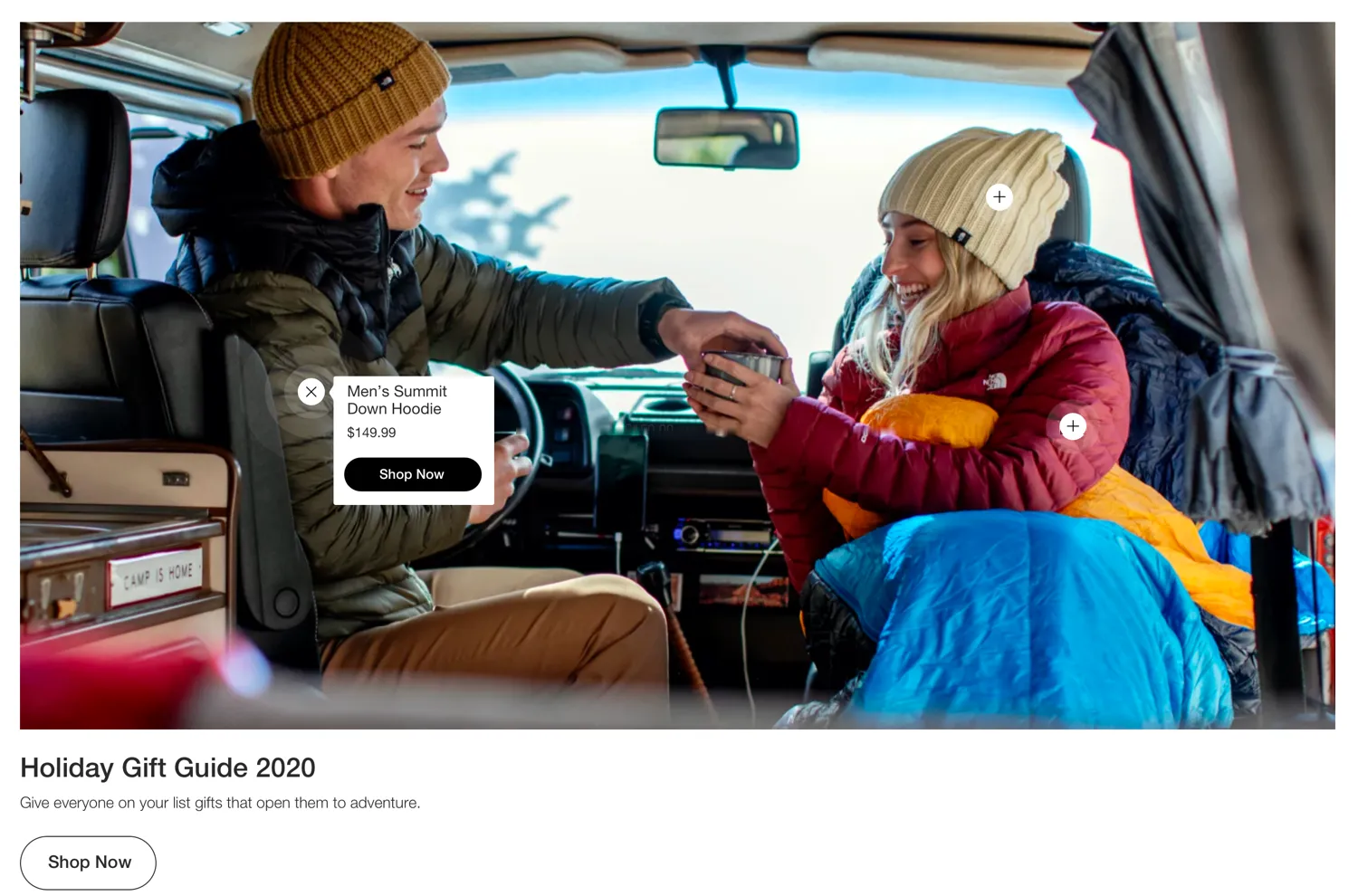
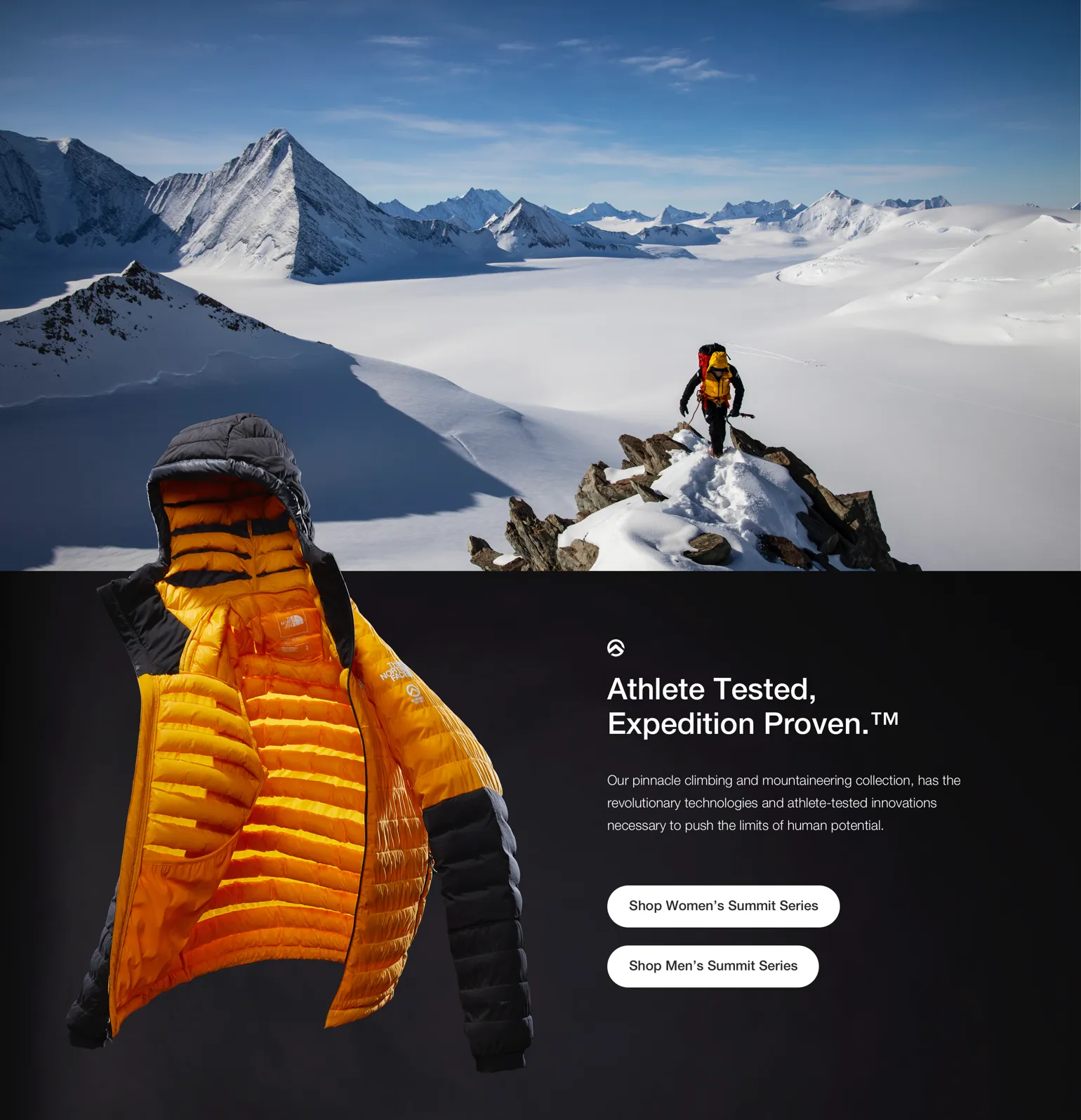

Updating the rest of the site
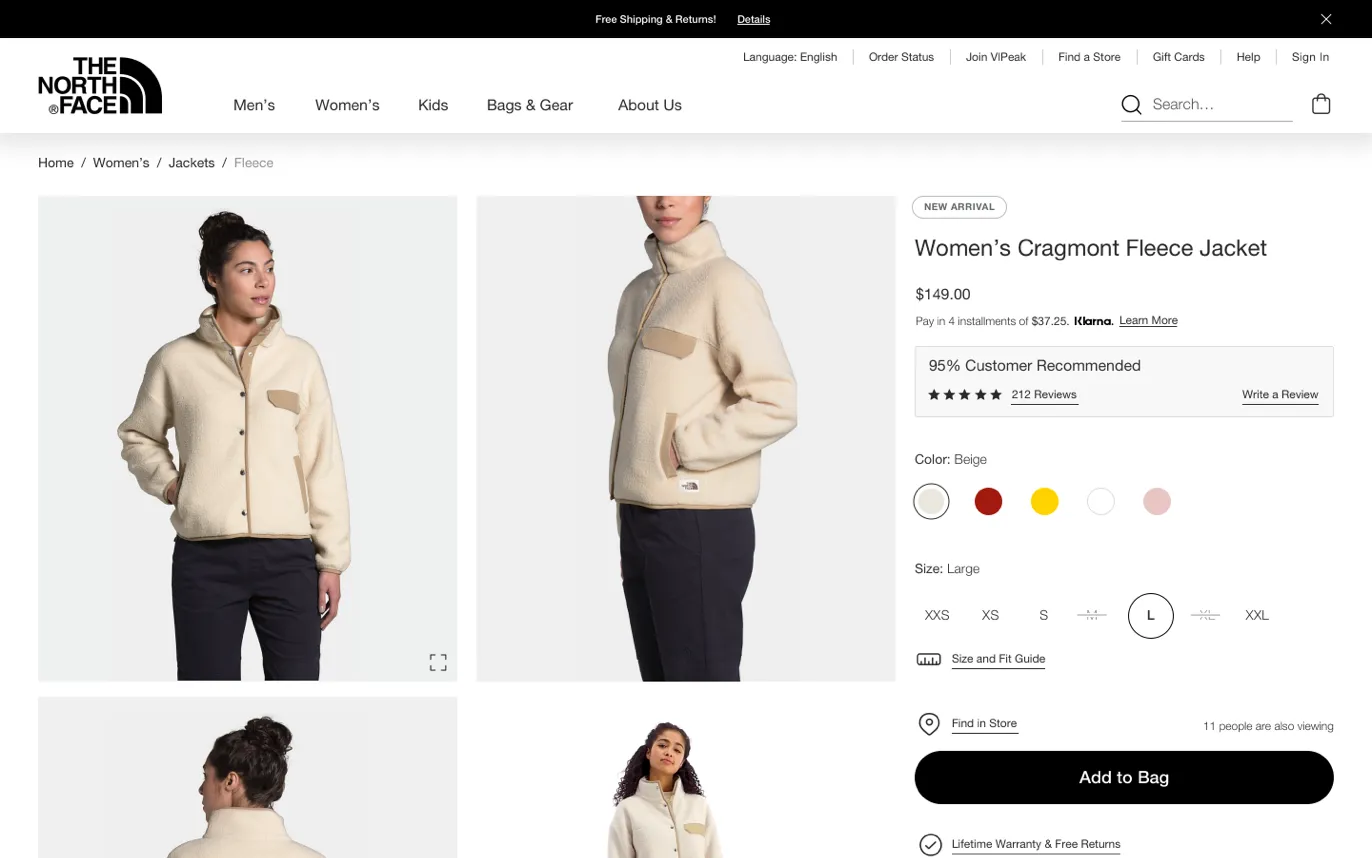
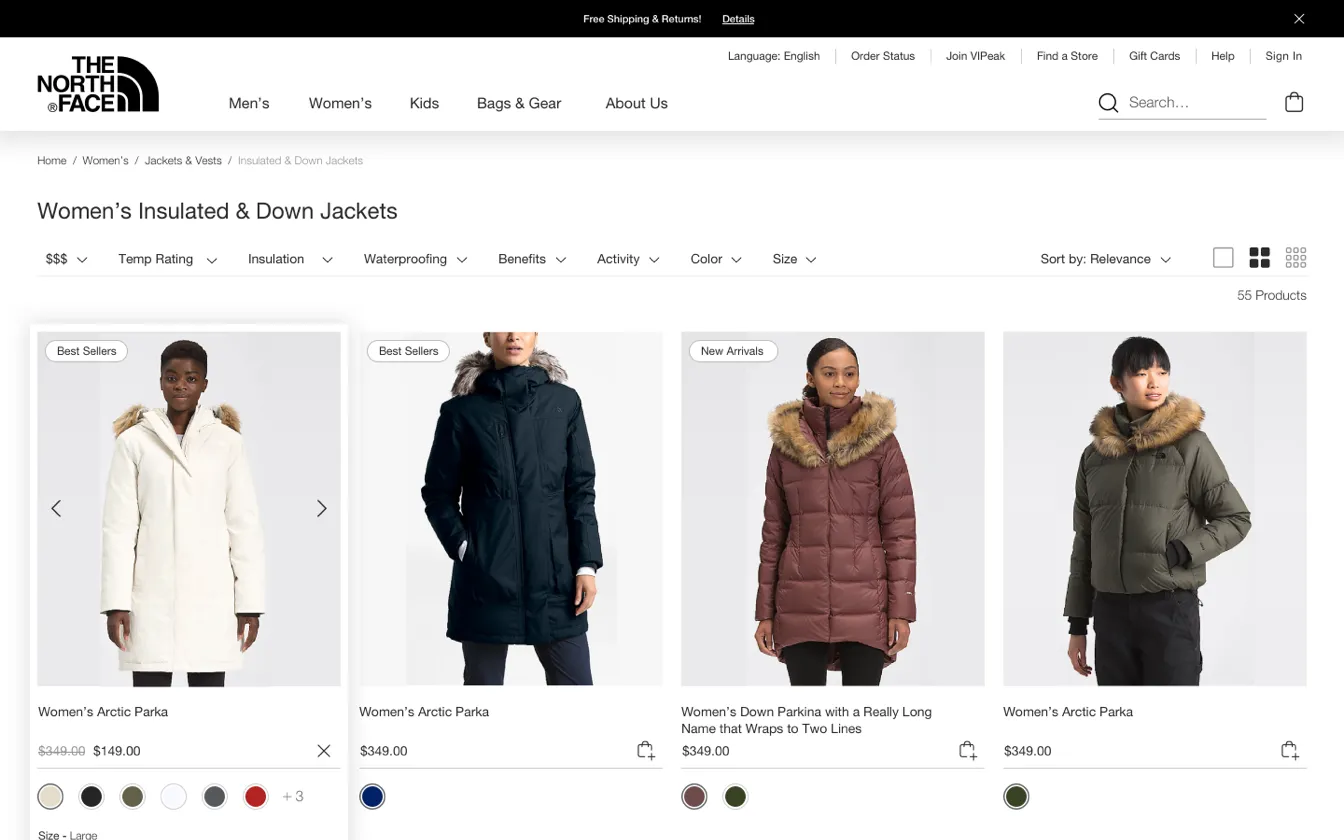
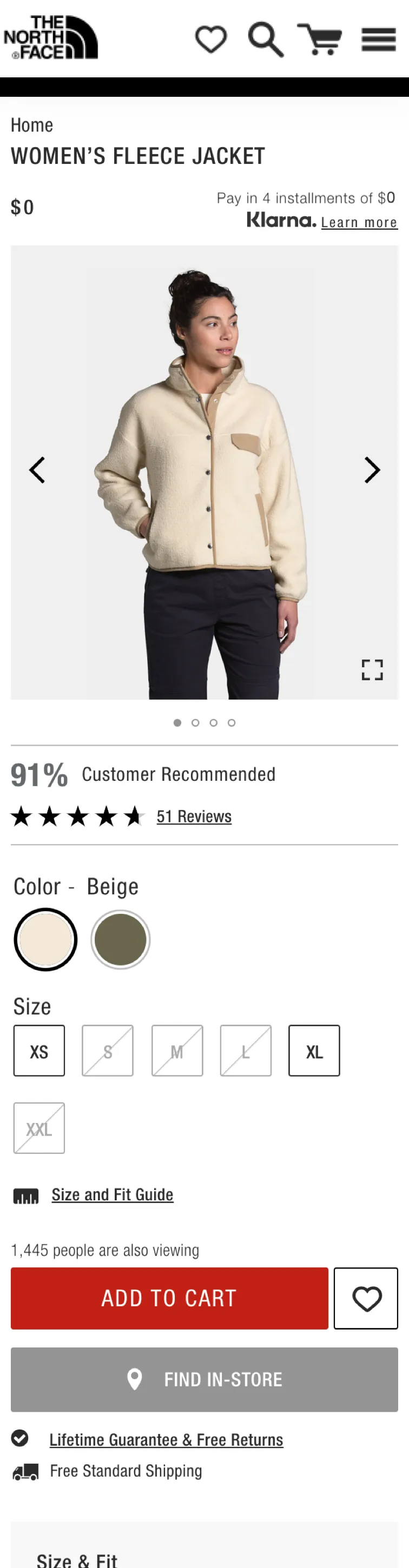
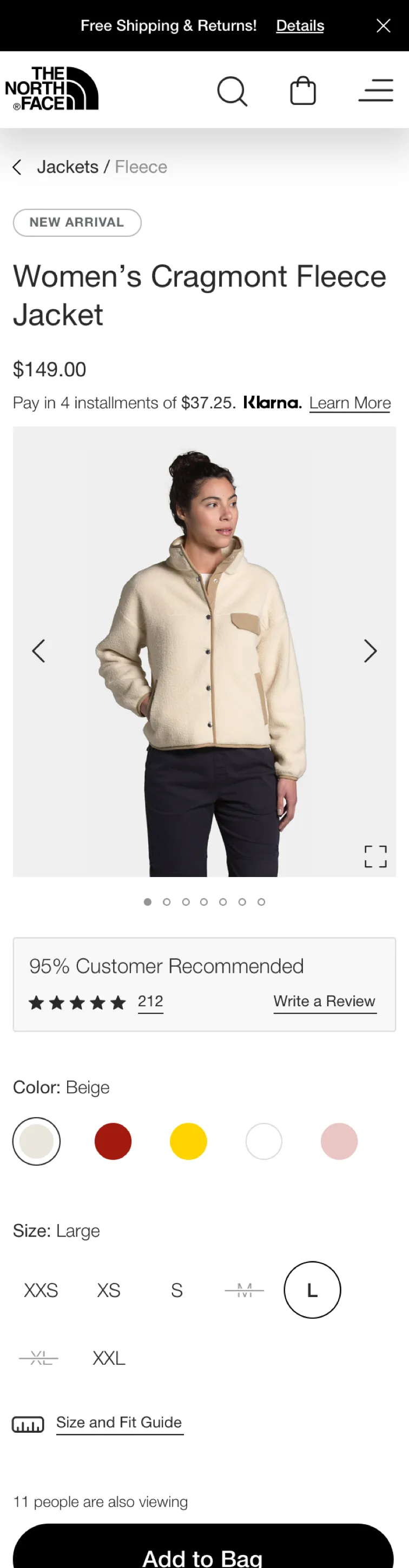
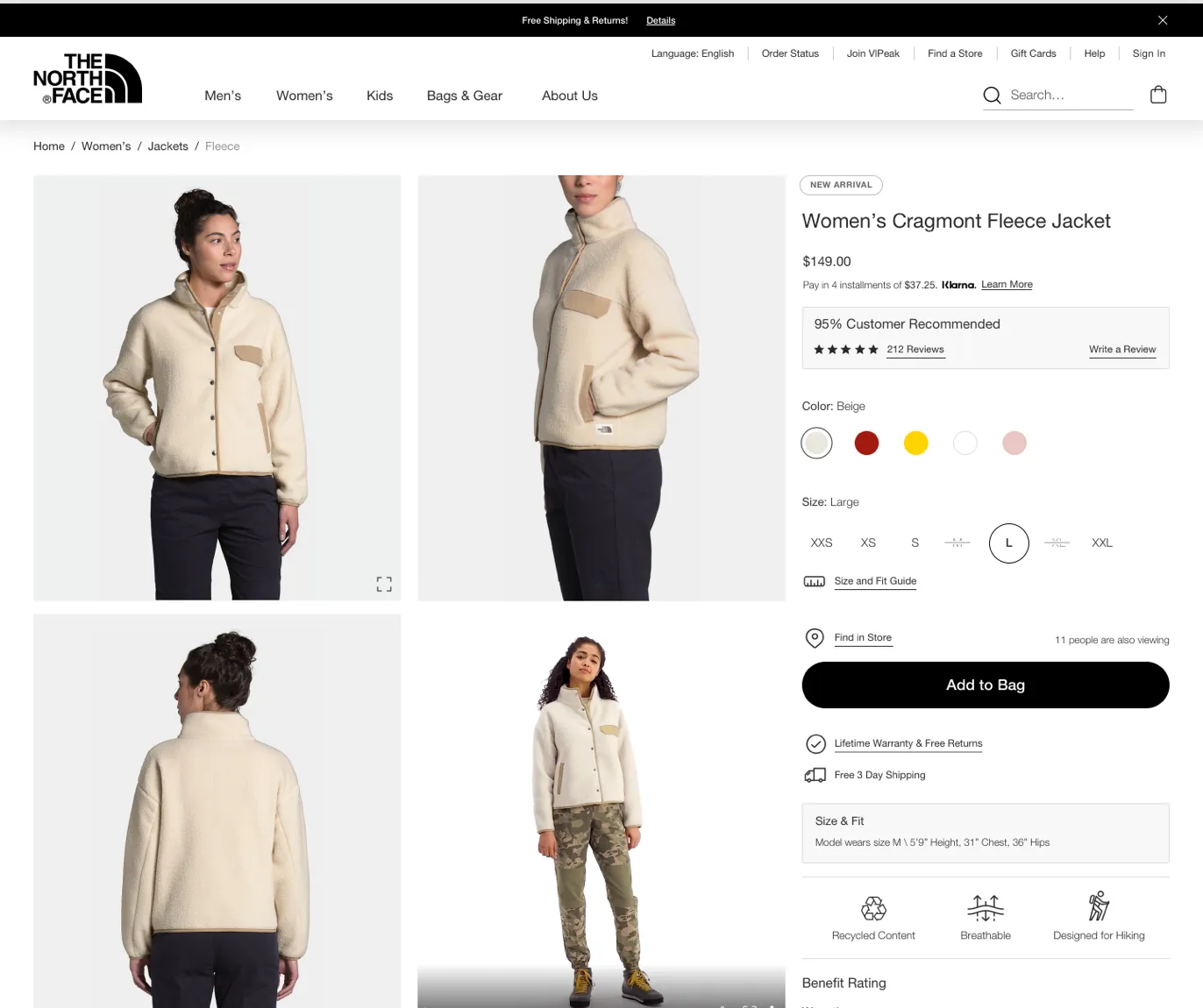
Every improvement to the components had to carry through the rest of the site too. Changing the layout of the product listing, product and cart pages was out of scope, so I worked with what was there: type, spacing and color.
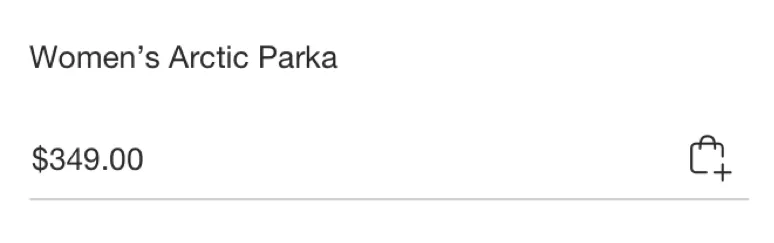
Part of that was cutting back on red. On the old product page, the biggest button was a bright red, all-caps Add to Cart. The new one is a calm black Add to Bag, in sentence case. Every big change was A/B tested against the live site to make sure it didn’t hurt conversion.
One library for every page
As the direction firmed up, I turned the redesigned components into an atomic design system with 1,200 symbols. It was built in Sketch, with Abstract for versions and linked libraries. I also remade every production page as a template linked back to the library, so future changes would reach every page.
The North Face’s developers had never had an up-to-date style guide, so I made one. It documents every component, from animation timings to when and how to use each button, so in-house designers, developers and outside vendors could all get up to speed fast.
How do you test a look?
Testing visual design is hard, so the researcher and I tried a few ways. We tested more than 1,000 people on usertesting.com, often as A/B comparisons. With The North Face team, we also ran A/B tests on the live site through Monetate, with millions of impressions, to make sure nothing hurt conversion.
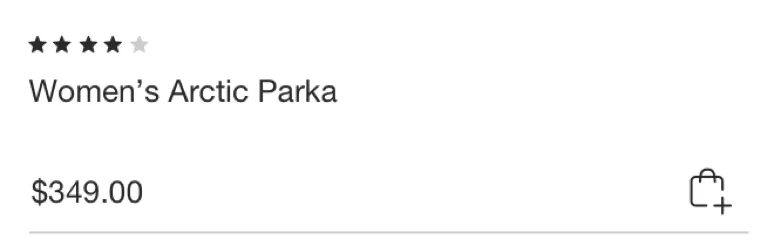
Some results surprised us. Taking the review stars off the product cards on the listing page actually increased conversion and revenue slightly.
Hide the logo and ask what it costs
The method we leaned on most was a blind perception test. We removed The North Face logo from the page and from every product, then asked people what brand they thought it was and what they’d expect the product to cost.
One round tested five versions of the mobile product page, all showing the same fleece jacket, with 120 people in North America. The results were the clearest answer to the brief, so they get the next chapter.
What changed: It looks like it costs more now.
Across our blind tests, the new designs consistently got higher price guesses, and people named more high-end brands. In the product page round, the same jacket on the final design was expected to cost 36% more.
And the brand people guessed most often? Patagonia, the one we’d been asked to stand next to. The North Face came third.
Current page: top brand guesses
- The North Face14 guesses
- Columbia9 guesses
- REI3 guesses
Final new design: top brand guesses
- Patagonia13 guesses
- Columbia7 guesses
- The North Face5 guesses
I left VF before development finished, so I don’t have launch numbers. But the redesign is live on thenorthface.com today, built from these designs.
The design system made an impact on the internal design teams right away. The North Face is the only brand that adopted it, though. White-labeling it for other VF brands was always the goal, but it didn’t happen while I was there.
Looking back: 1,200 symbols in Sketch. Never again.
Overall, I’m very proud of this project, but the tools are so much better now. Building a design system this big in Sketch came with a lot of limits, and I can only imagine how the team has improved it since. Figma and today’s AI tools would have made the whole project far more efficient.
On the ideas side, I wish I’d pushed a little harder for UX improvements alongside the visual ones. In a market as competitive as e-commerce, every little bit matters.