At a glance
Once a year, all Sam’s Club stores count every item on their floors, in one night. Until this project, that meant paper tickets, binders and a 3rd party retyping all of it afterwards.
I inherited a precount design nobody had tested yet, then designed everything after the count: variance, recounts and the manager’s final sign-off. We tested it at The Clubhouse, Sam’s full-scale model club.
In the pilot, precounts took 4 weeks less, and net variance improved by up to 35% in most clubs. Not bad for something that started as a stack of paper.
- My role
- Lead designer for variance, recounts and final approval
- Team
- 1 other designer, a PM, 3 engineers and a researcher, with Operations and Asset Protection
- Timeline
- About 6 months, kickoff to pilot in a few clubs
The old way: Inventory night ran on paper, one slow step at a time.
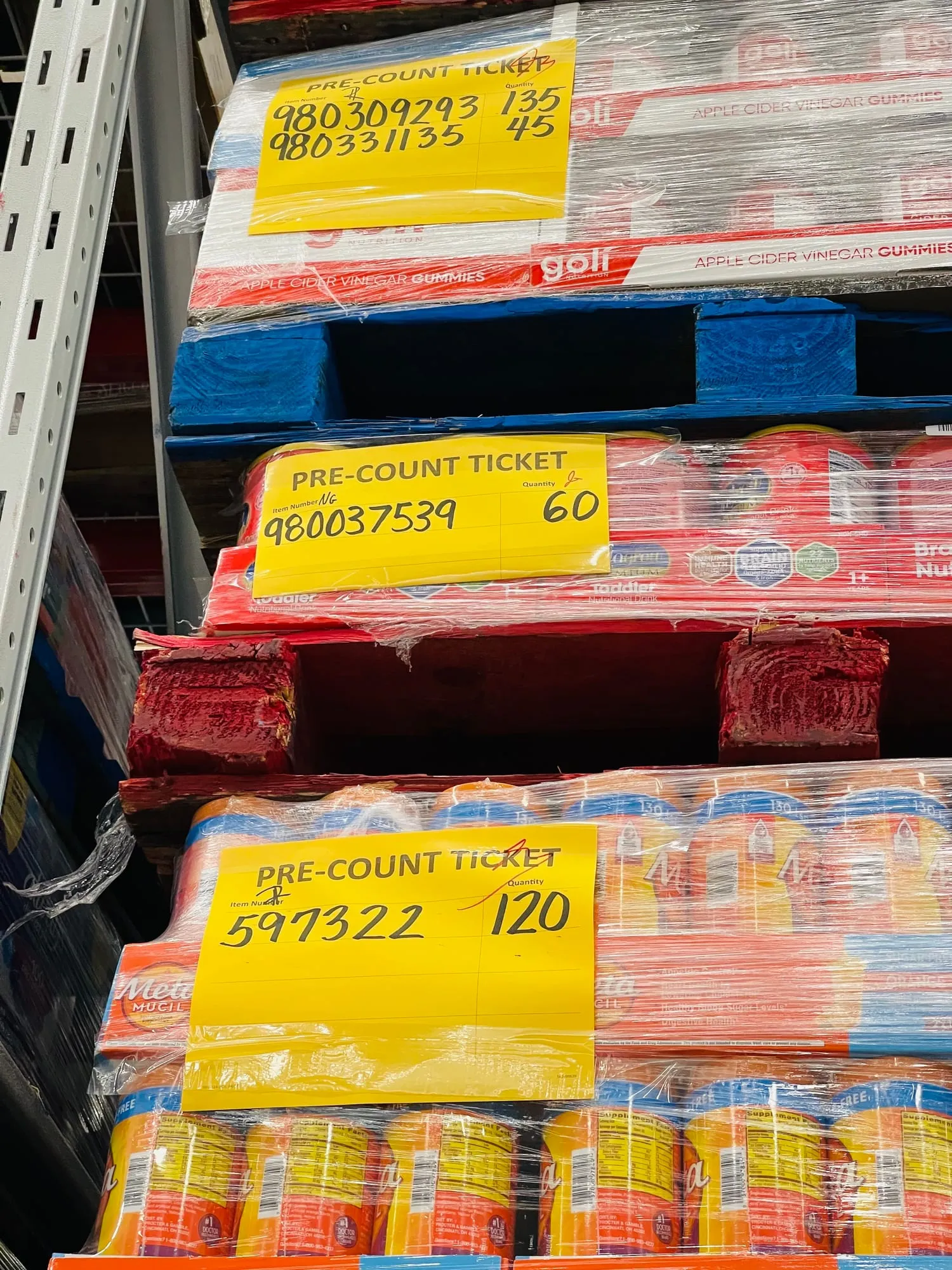
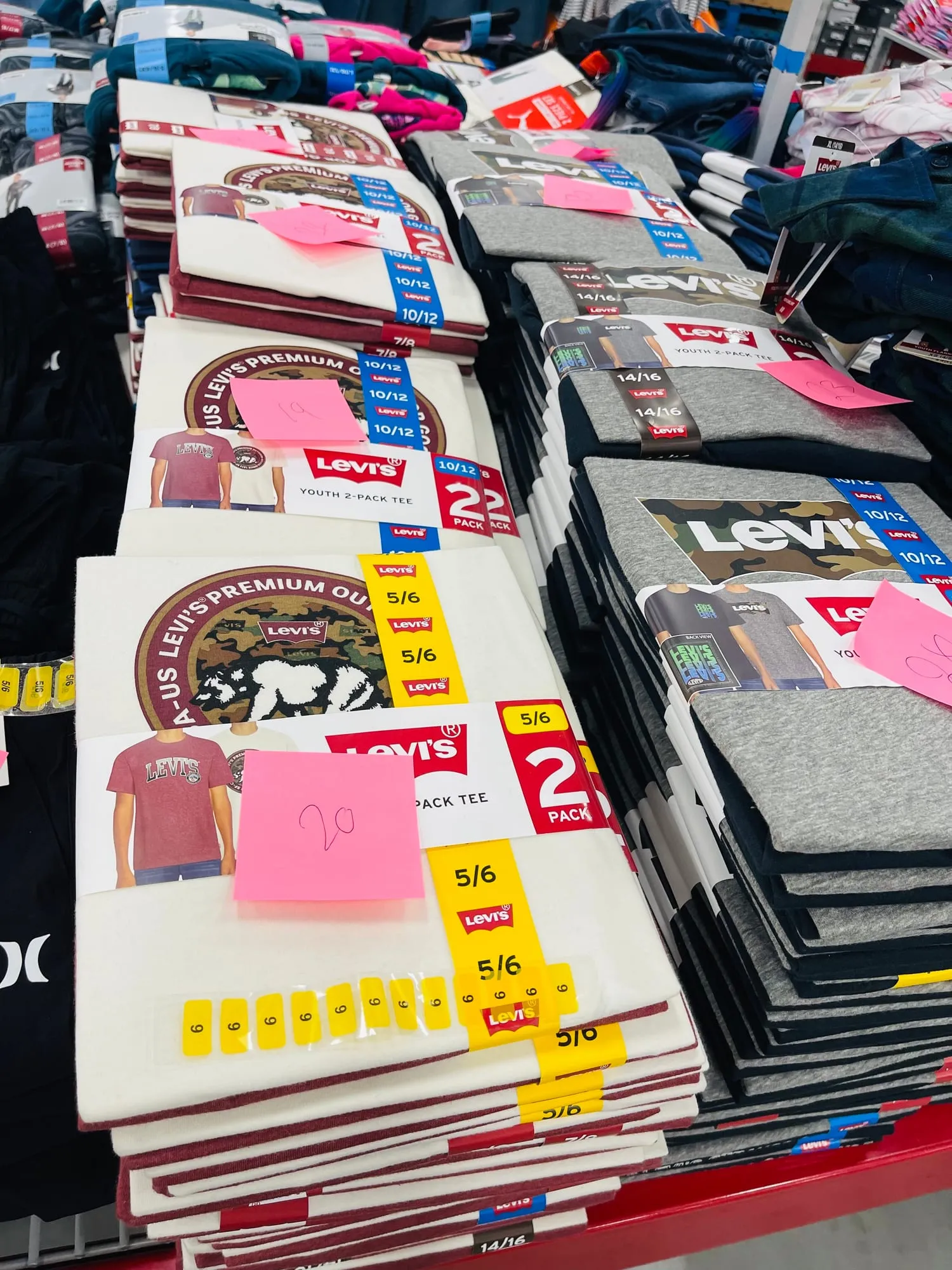
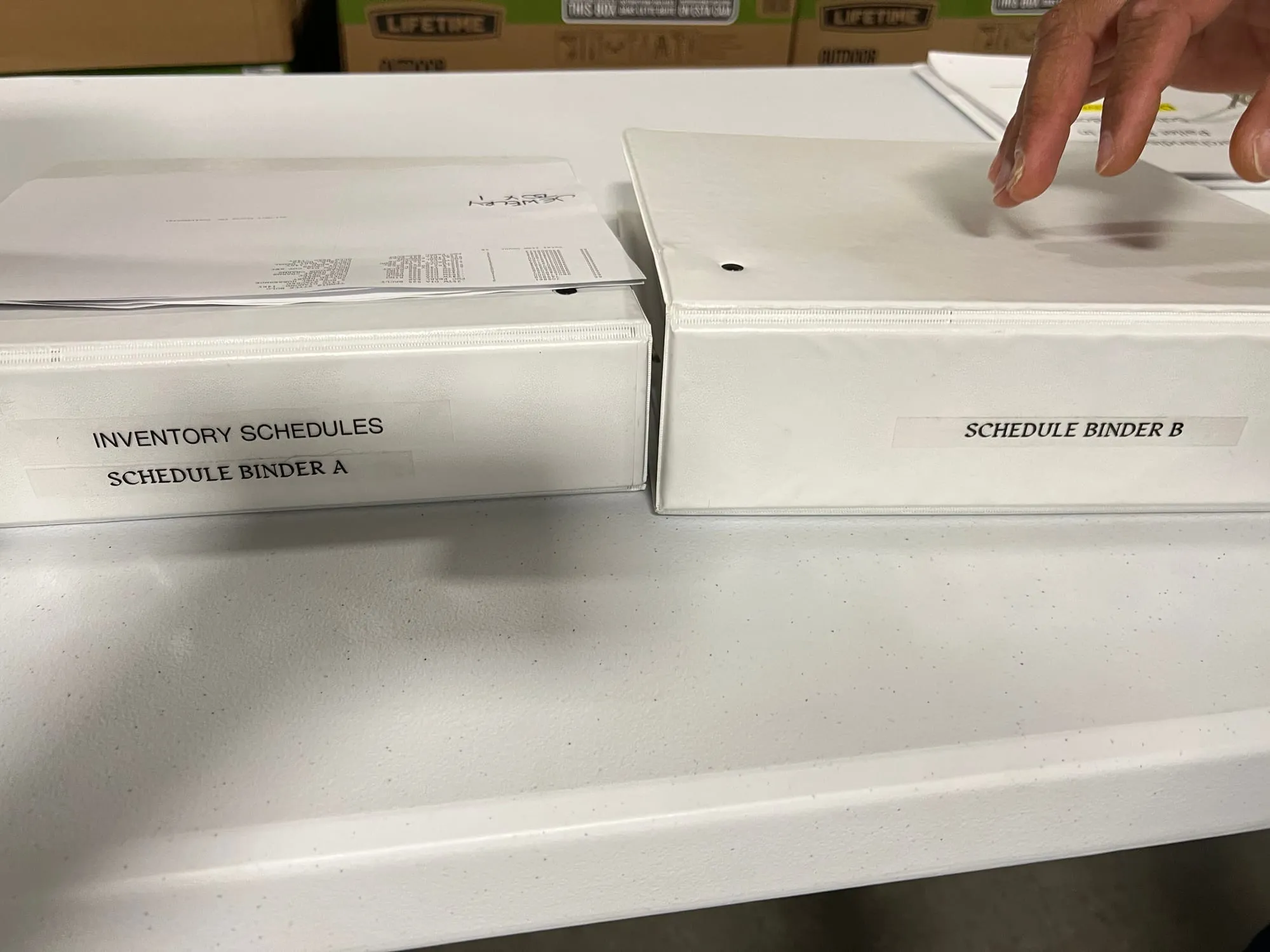
Weeks ahead of the night of inventory, associates precount the reserve steel and write the numbers on paper. On the night, a 3rd-party crew comes in, counts the sales floor and retypes the precounts. Then managers work through variance reports and sign off the dollar difference, on paper, before the club opens.
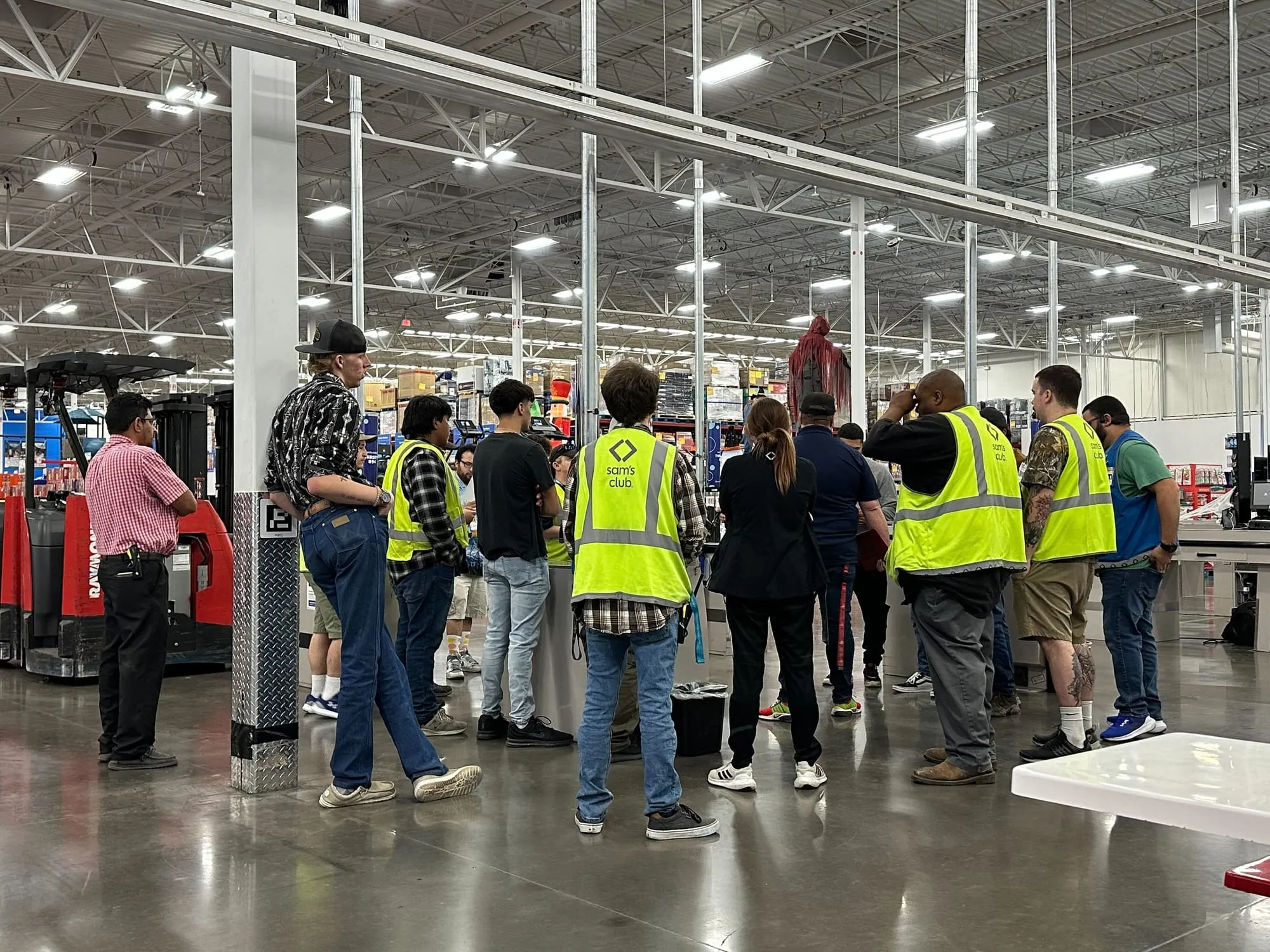
Our research team watched it happen in October 2023 at clubs in Abilene, Texas and Shakopee, Minnesota. In Abilene, the night stalled for 2 hours while the data file made its way to the 3rd party, with Sam’s associates already on the clock. And when it was all over, about 1,200 items were off on every count.
The old process, step by step
From those visits, we mapped the whole process. Precounts had to be entered before variance reports could run, and variance had to be resolved before the dollar difference report. Everything in between was on paper. The paper lists had no pictures or reference locations, so associates kept looking items up in OYI (Own Your Inventory), the inventory app they already knew from their weekly work.
- 01
Precount Associates
Writing quantities on precount tickets is slow and not error-proof.
- 02
Download the item file 3rd party
Errors or delays here push back the start of the count.
- 03
Key in precounts 3rd party
Precount quantities are hand-keyed, so typos in item numbers or quantities cause many count mismatches.
- 04
Hand over reports by category 3rd party
Printed variance reports go out to associates, split by category.
- 05
Research variance Associates
Check the variance, note down the correct number, and hand it back to the 3rd party.
- 06
Key adjustments 3rd party
Update quantities in their system and transmit them to SMART.
- 07
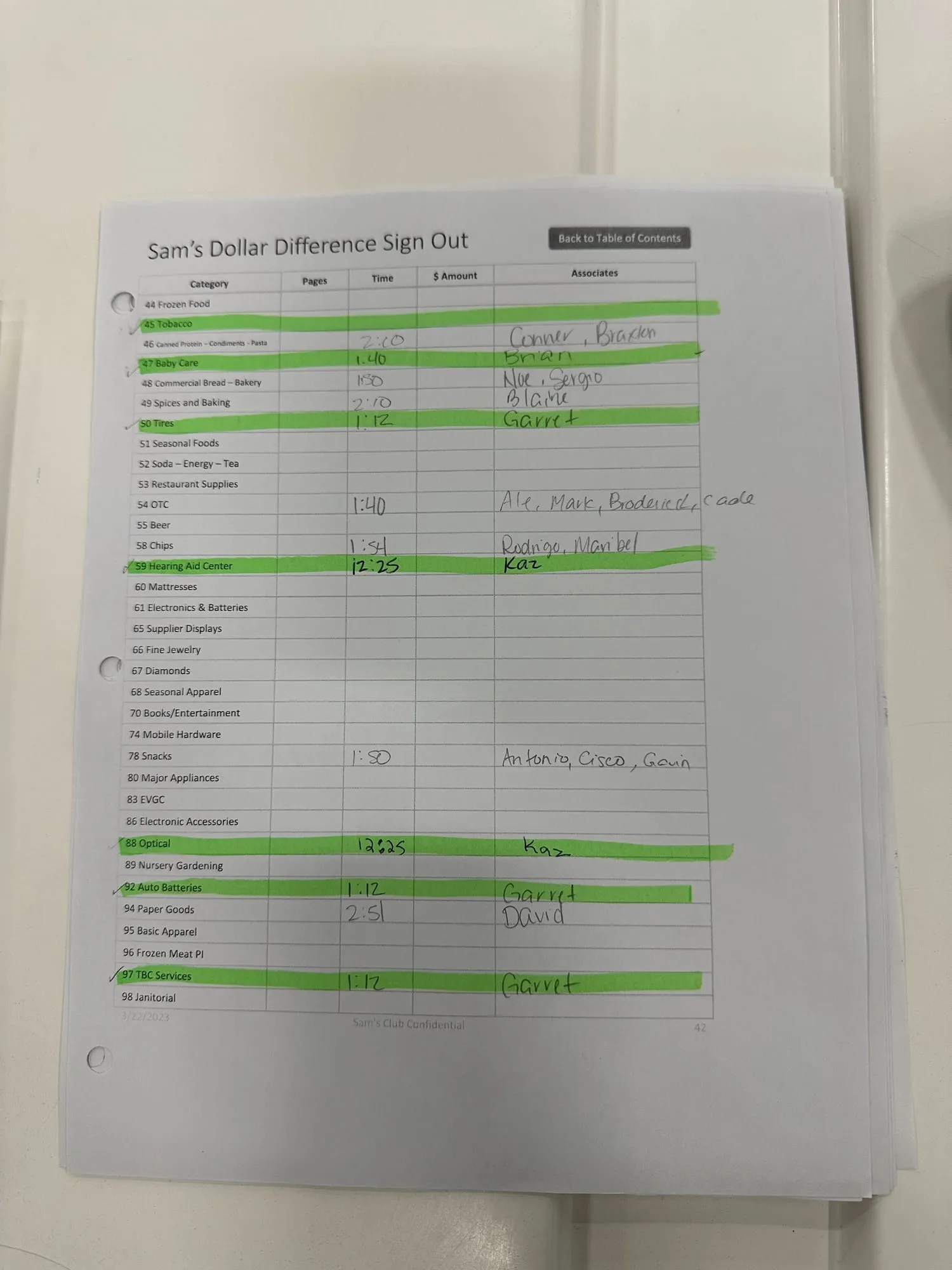
Print the dollar difference Managers
Download several reports and research them category by category.
- 08
Key it into SMART Managers
Manually keyed in from the paper.
Where the hours went
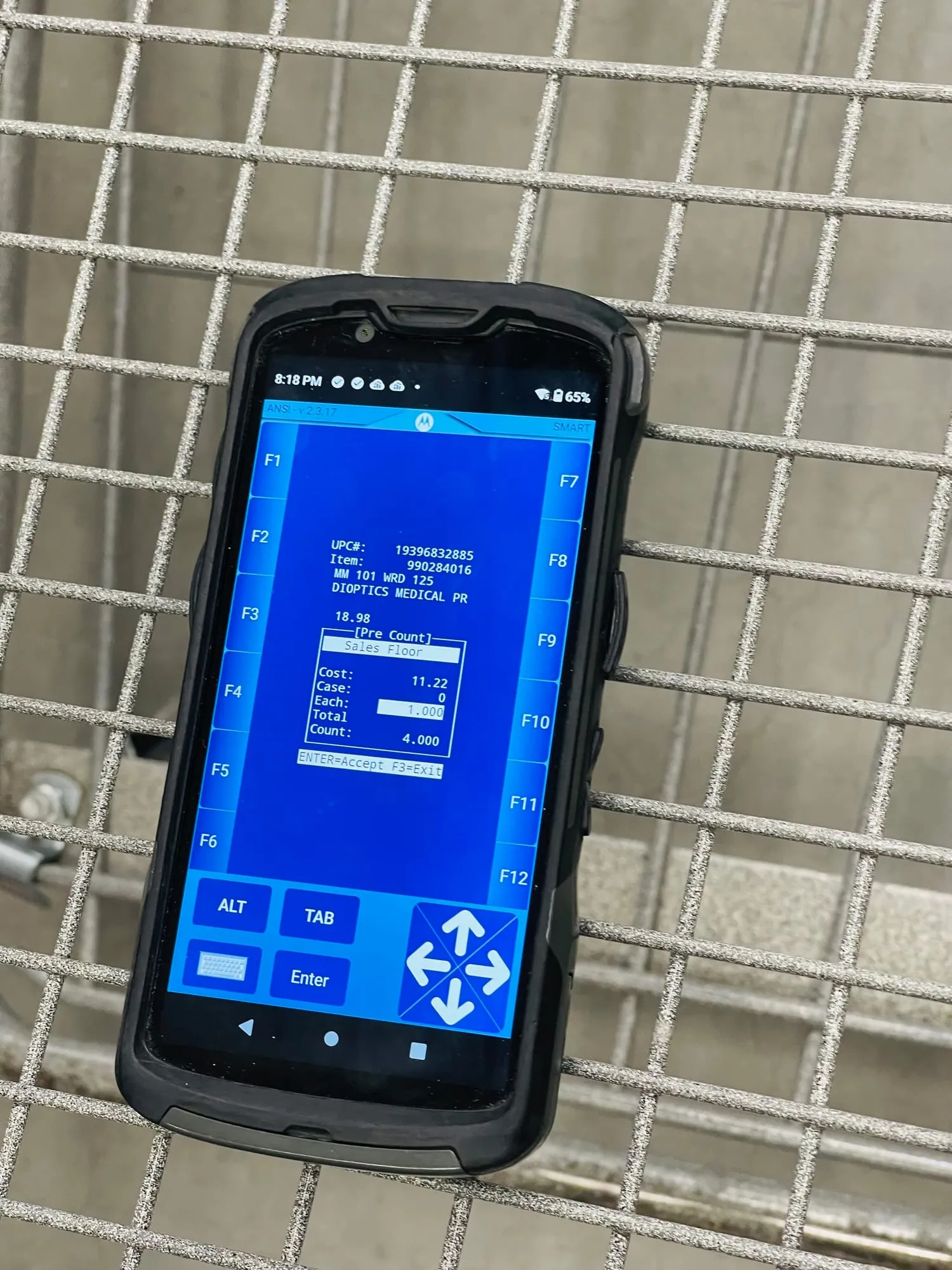
The brief: I picked up precount and carried it to the final count.
The decision to go digital was made before I arrived, and precount discovery was done. Precount designs were in progress, but they hadn’t been put in front of associates yet.
My job was to validate that direction and design everything after it: variance, recounts and approving the final count. Testing changed some of what I inherited, and what we learned went back into later versions of precount and postcount.
Today, when associates start the annual inventory process, they begin weeks in advance (pre-count); on the day of inventory a 3rd party must manually initiate the transfer of data, duplicate data entry, and record everything on paper. This is unacceptable because it is laborious and causes inaccuracies and inefficiencies.
The goalDetermine what is needed to move off the SMART system and create efficiencies and accuracies in the overall process.
The work: What I designed and why
Designing for a warehouse at midnight
Counts run overnight and have to be done before the doors open. Here’s what every screen was up against.
- Any device
- Clubs had all kinds of devices, so screens had to work on all of them.
- One hand
- Associates were often holding a handheld scanner, so the app was built for one-handed use.
- No club knowledge
- 3rd-party counters didn’t know the store. It had to work for someone who had never been in that club.
- Done by 8am
- The count had to be finished the next morning, before the club opened.
- Things move
- Associates kept working during counts, so pallets moved mid-count.
- Hard to read
- Location signs sat high on the steel, far from the floor.
- DNI and clothing
- Some categories aren’t counted at all (Do Not Inventory). Clothing takes the longest, so it always goes first.
- Blue Steel
- Everything followed Sam’s Club’s Blue Steel design system.
Mapping the app first
Before designing screens, I mapped the app end to end: every screen from the OYI entry point, who uses it, and what we’d settled versus what was still open.
It covers both halves of the job: getting ready in the weeks before, and sorting out variance after the count.
Before the count Precount and spot checks, in the weeks ahead
- Associate
Precount
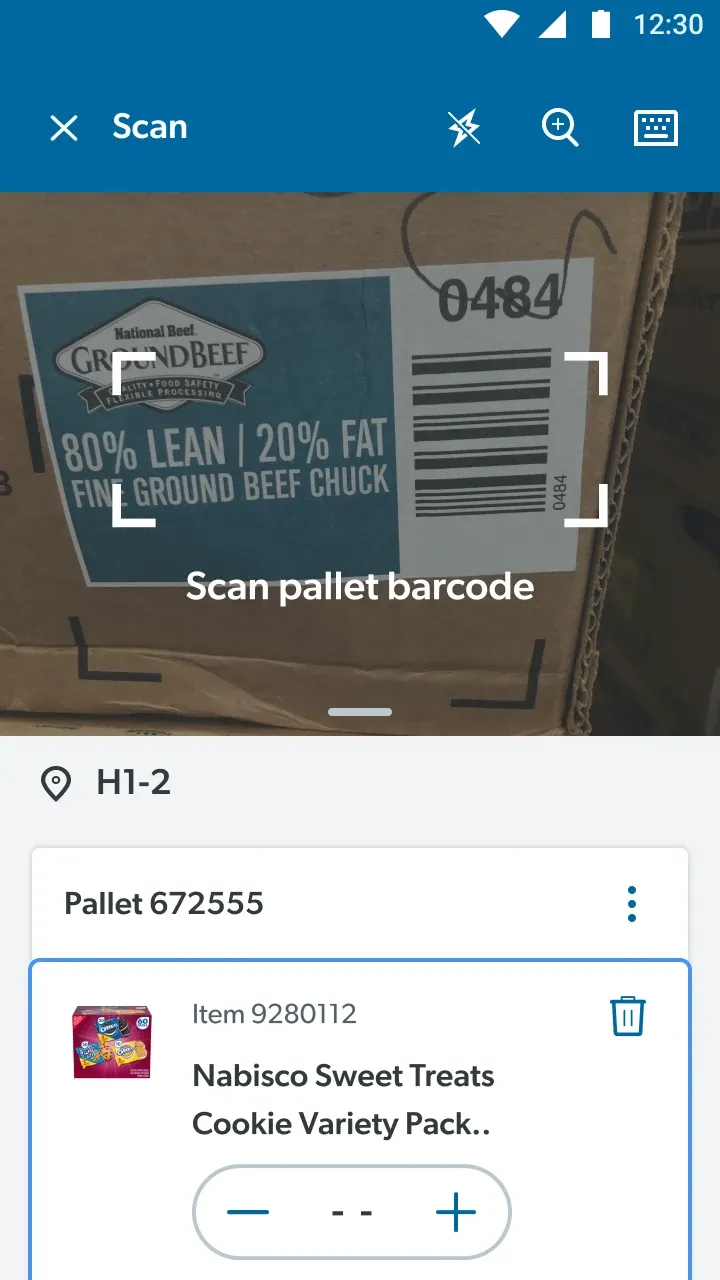
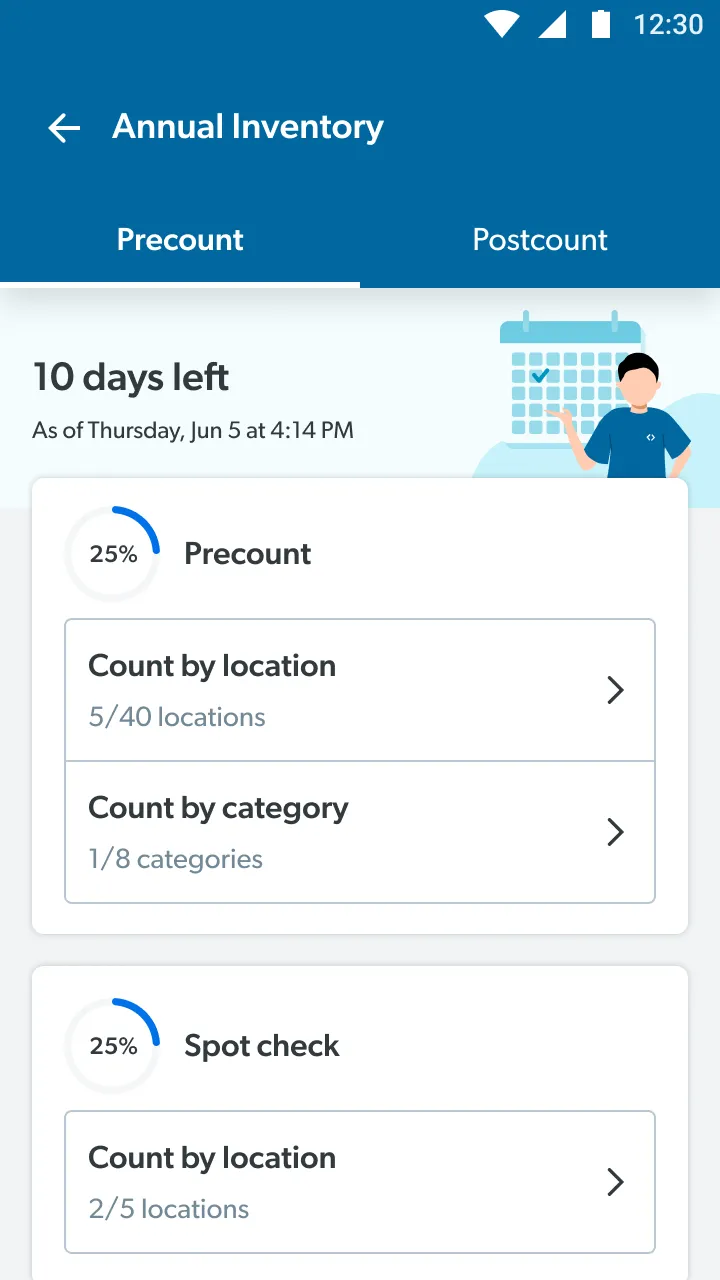
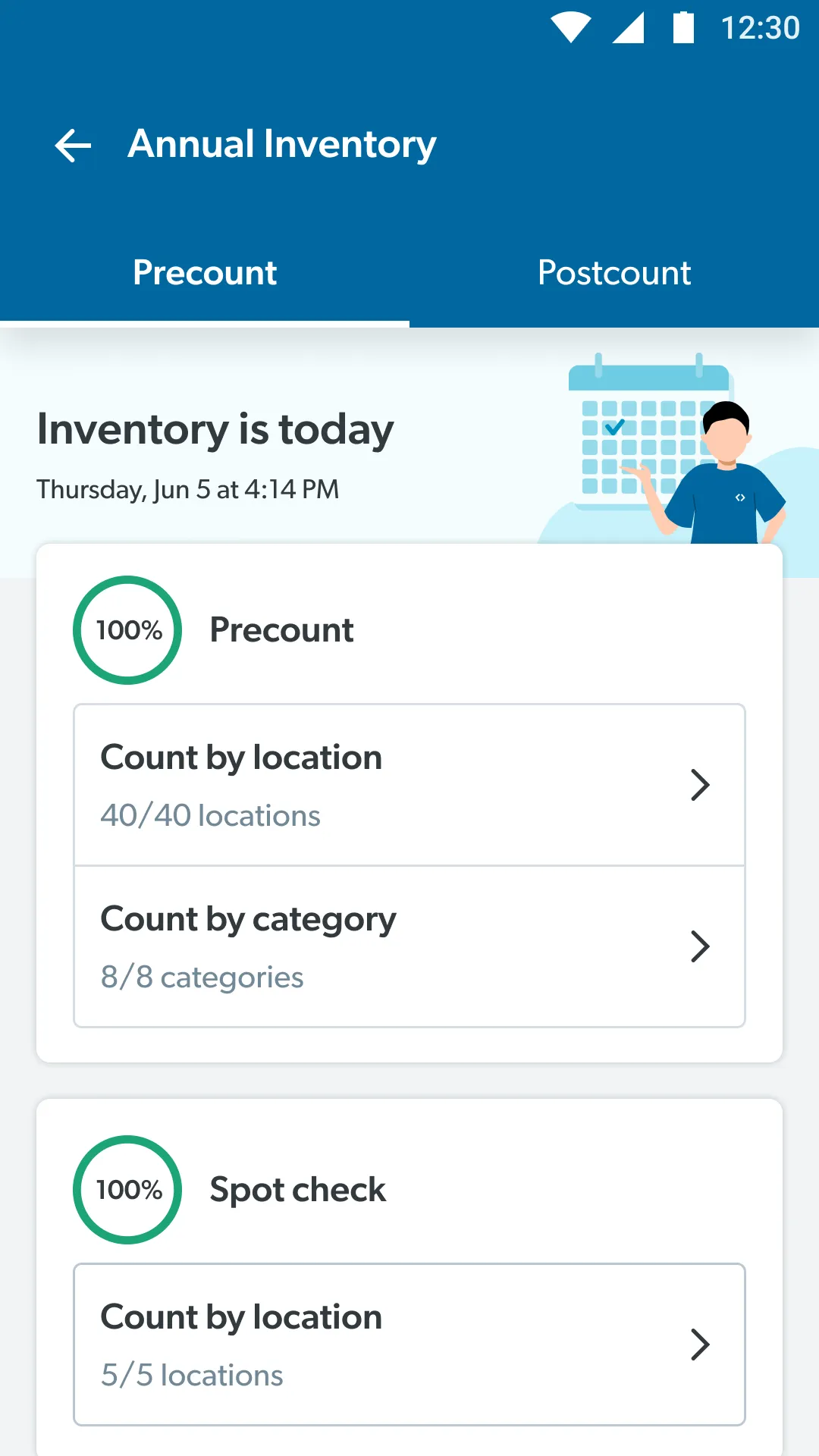
Count by location or by category, pallet by pallet, then review and submit.
- Manager
Review and reassign
Check finished areas, and reassign a whole task or a single bay.
- Manager
Spot check
A blind audit of counted locations and categories.
- Manager
Precount finalization
Opens a day before the count, to sign off every category and area.
After the count Variance, recounts and approval, once the 3rd party uploads
- Manager
Dollar difference dashboard
Opens as soon as the 3rd party uploads their count.
- Manager
Highest variance first
Categories sorted by variance, flagged where a recount is needed over $1,500.
- Manager
Item-level variance
Accept items under $1,500 as they are, or add them to a recount.
- Associate
Recount by category
A blind recount, then a reason for any miscount.
- Manager
Recount sign-off
Accept, or reject and send it back to recount.
- OYI
Final on-hands change
The approved count updates on-hands in OYI.
Getting Operations and Asset Protection to agree
Operations and Asset Protection both had strong opinions, and they often pulled in different directions. Getting them to agree was a daily job.
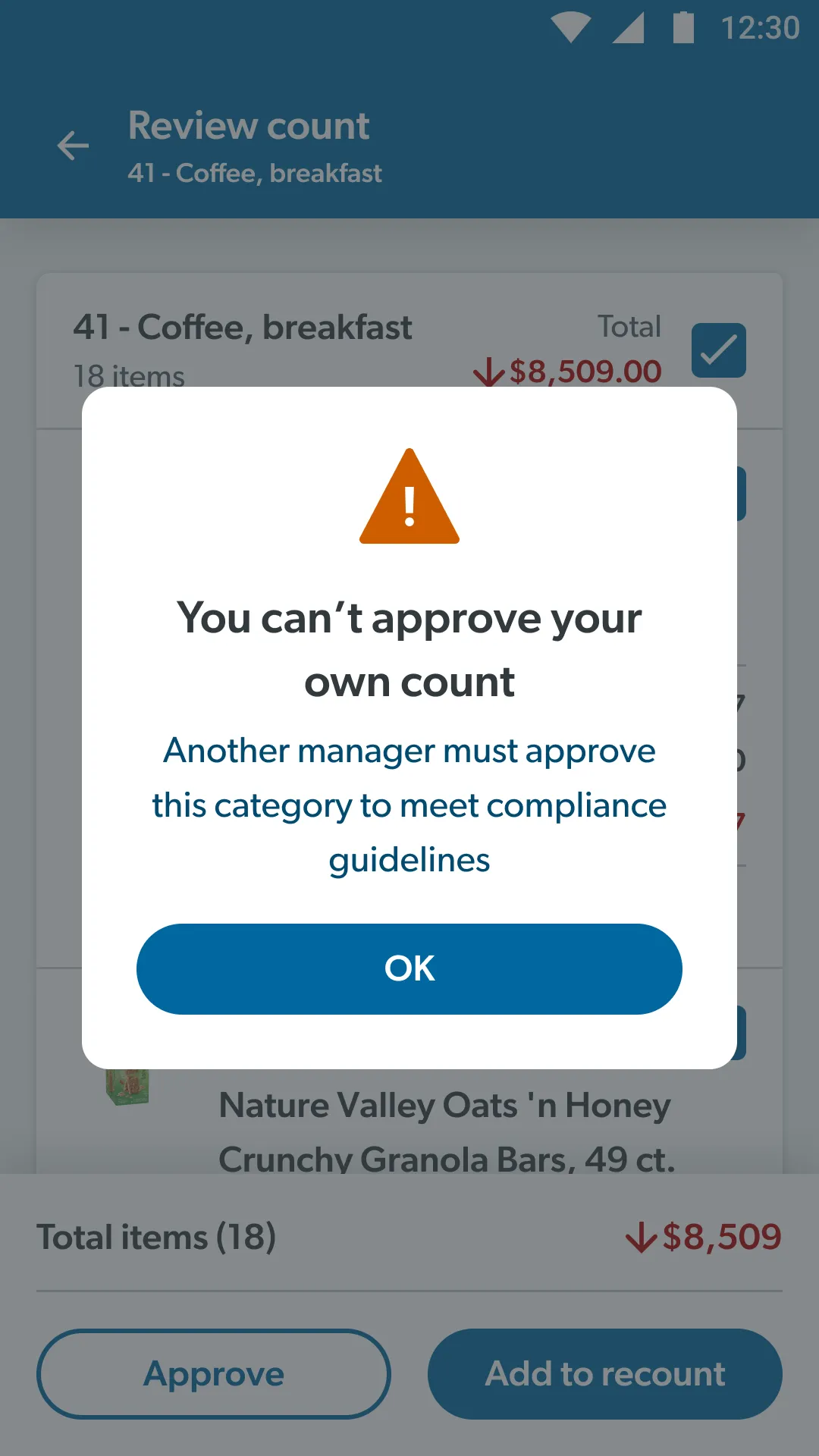
Even the name of the section was contested. At The Clubhouse, managers suggested five: Dollar difference, Recount, Post-count, Validation and Finalize. One thing wasn’t up for debate. Compliance says a manager can’t approve a count they did themselves. That doesn’t stop managers from helping count. The app just won’t let them approve their own work.
Every manager wanted a different dashboard
This took the most trial and error. Every manager expected different content in a different order, because each had their own way of working the old paper process.
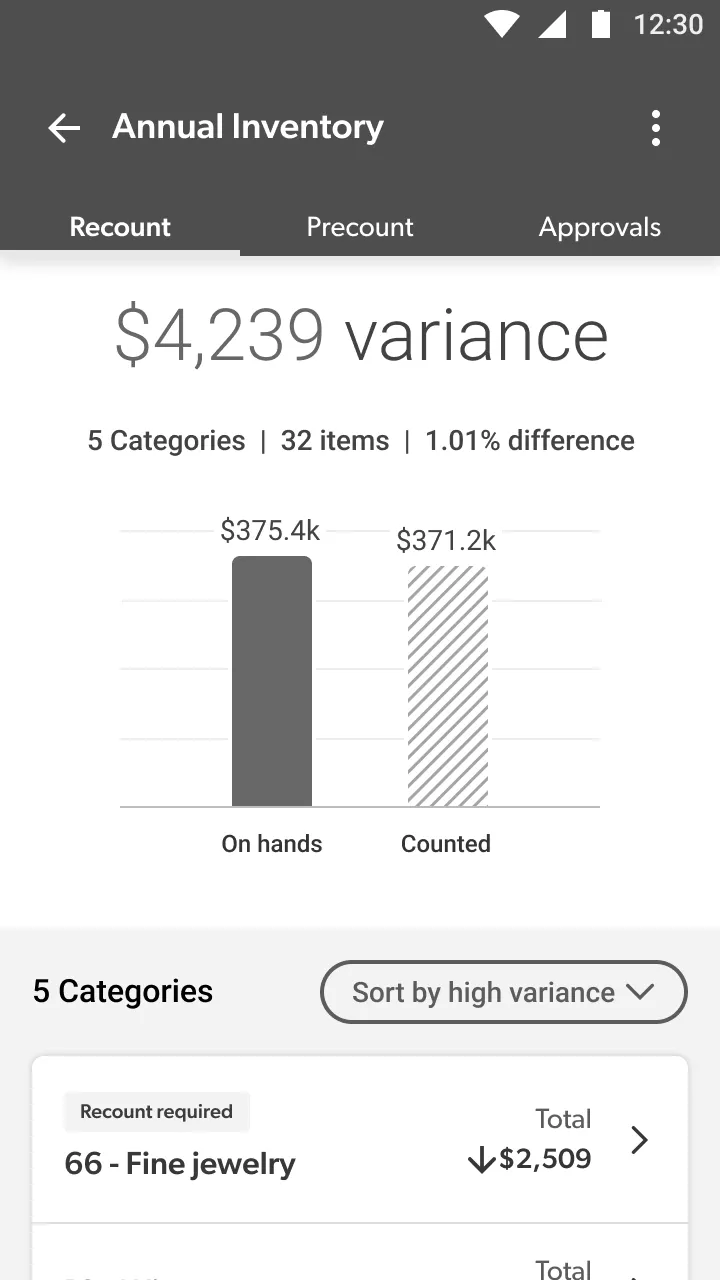
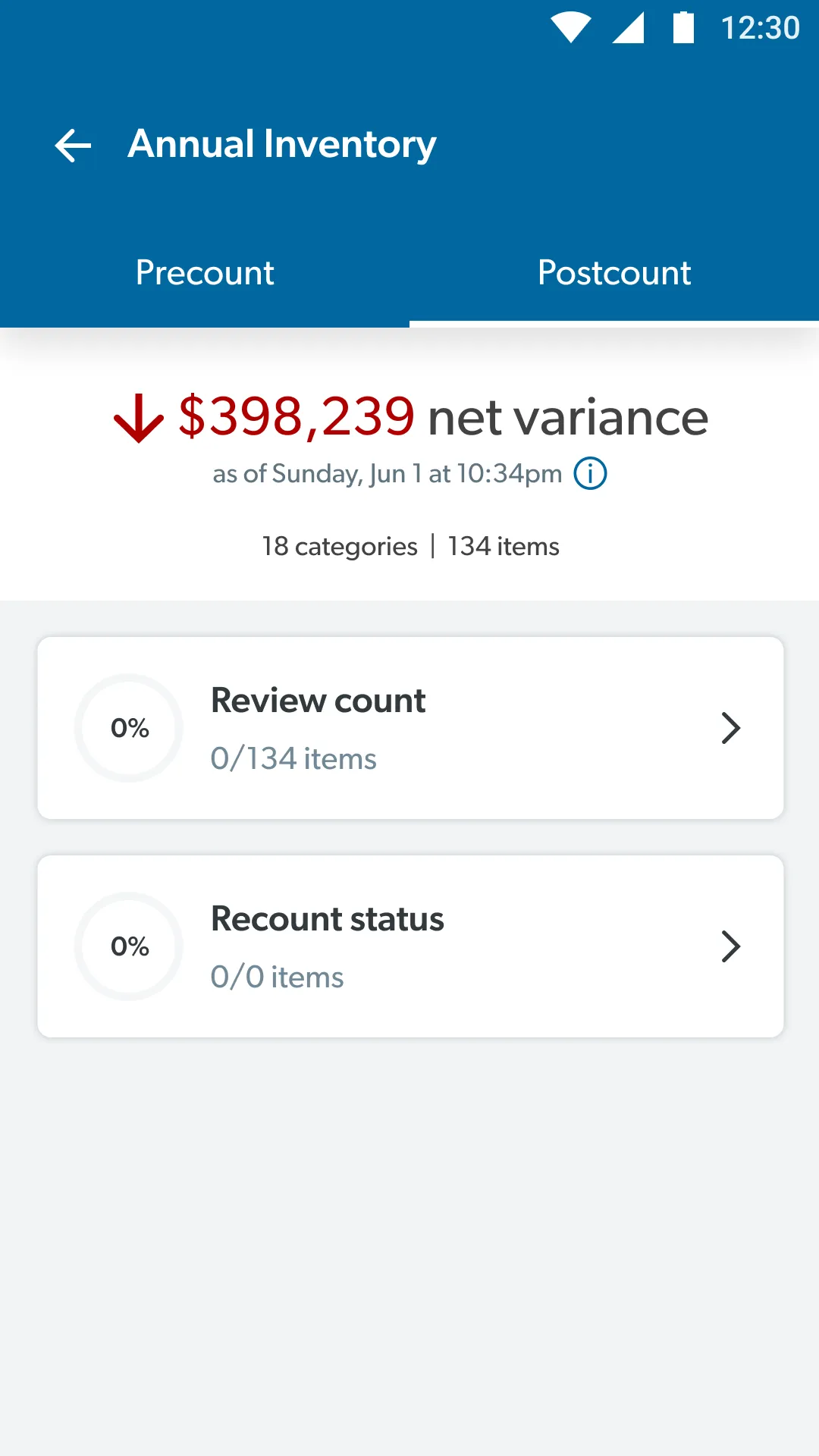
Before anything went to high fidelity, I worked through the options in wireframes: one link out to a separate dashboard, recount options at the top of the main page, compressed precount cards, tabs for precount and recount, a tab for approvals, and the dashboard as the top level.
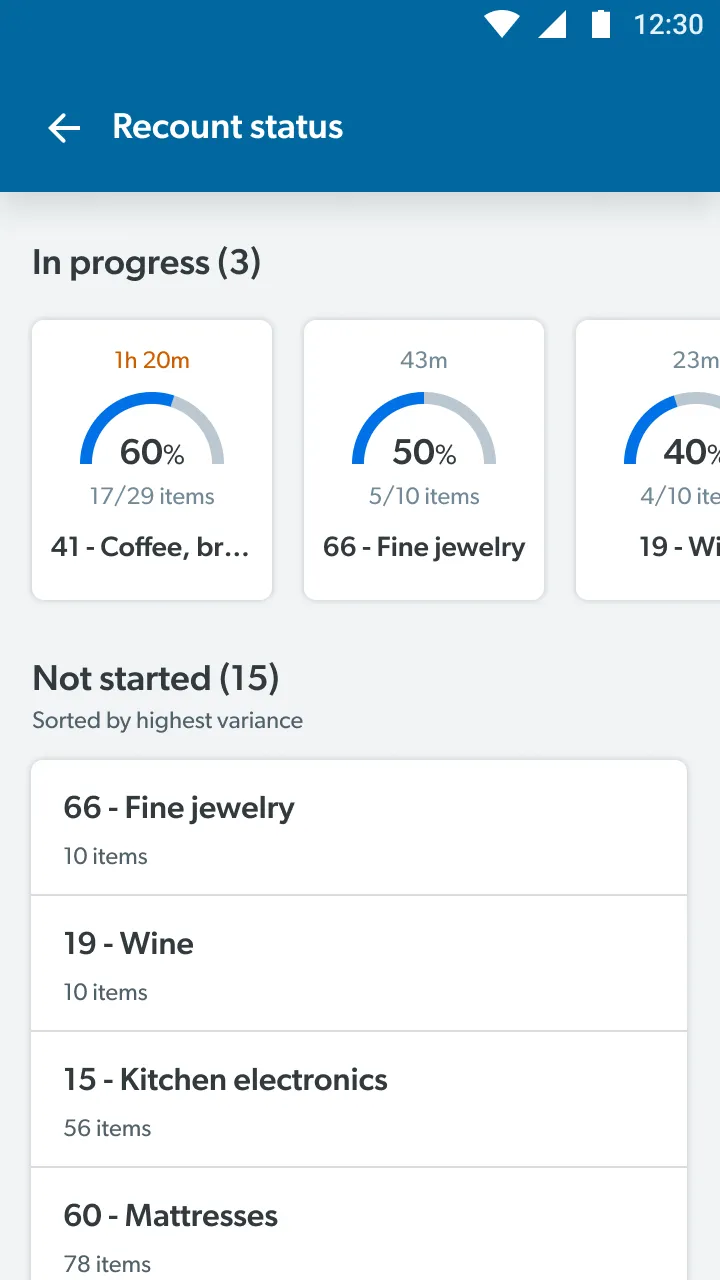
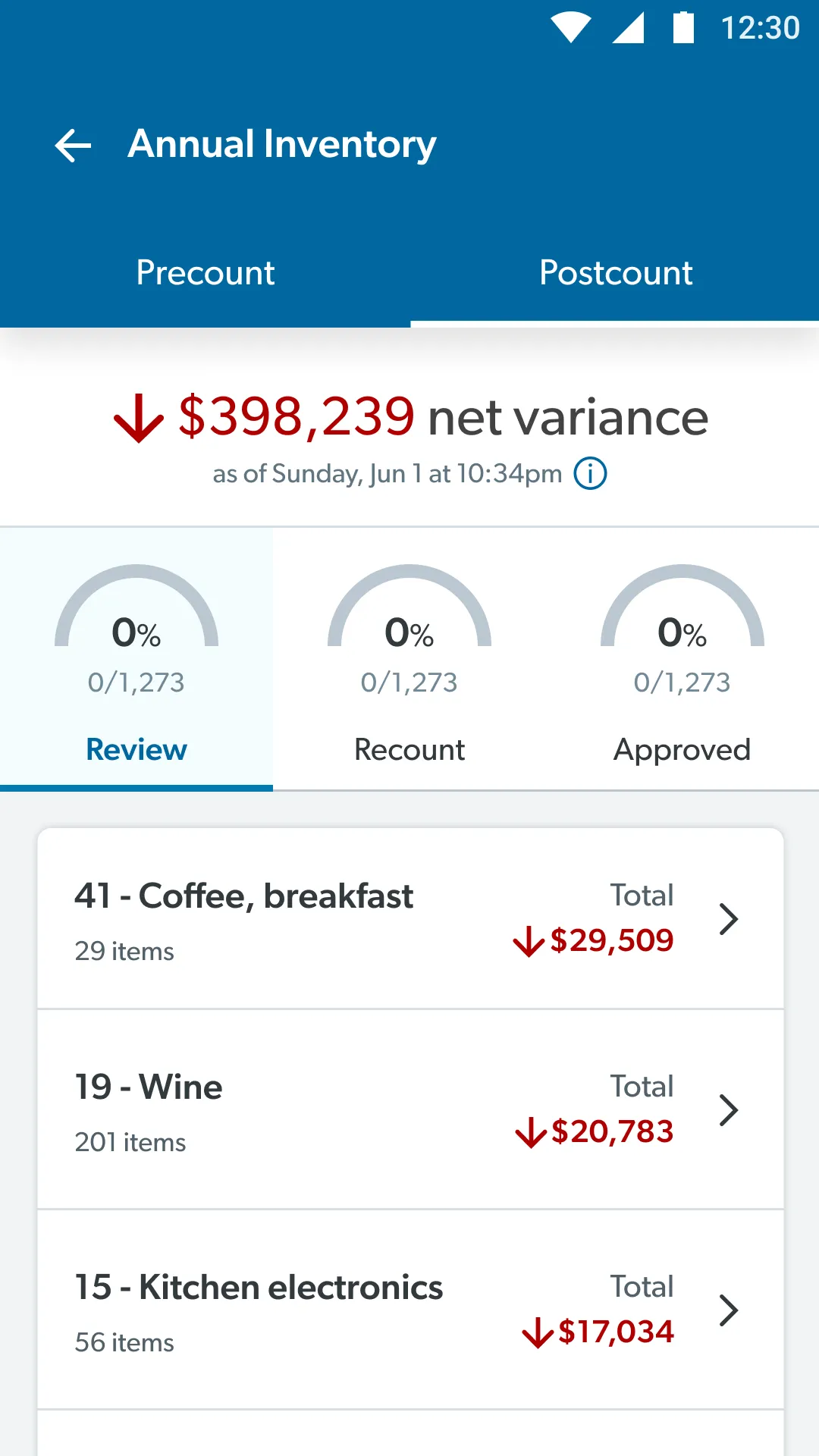
The first high-fidelity version sent managers off through two buttons, Review count and Recount status. In testing, managers clearly preferred the next version: tabs with progress dials for Review, Recount and Approved. It matched the OYI audits they already used, showed how far along the count was, and replaced a handful of “done” states with one: “Approved”.
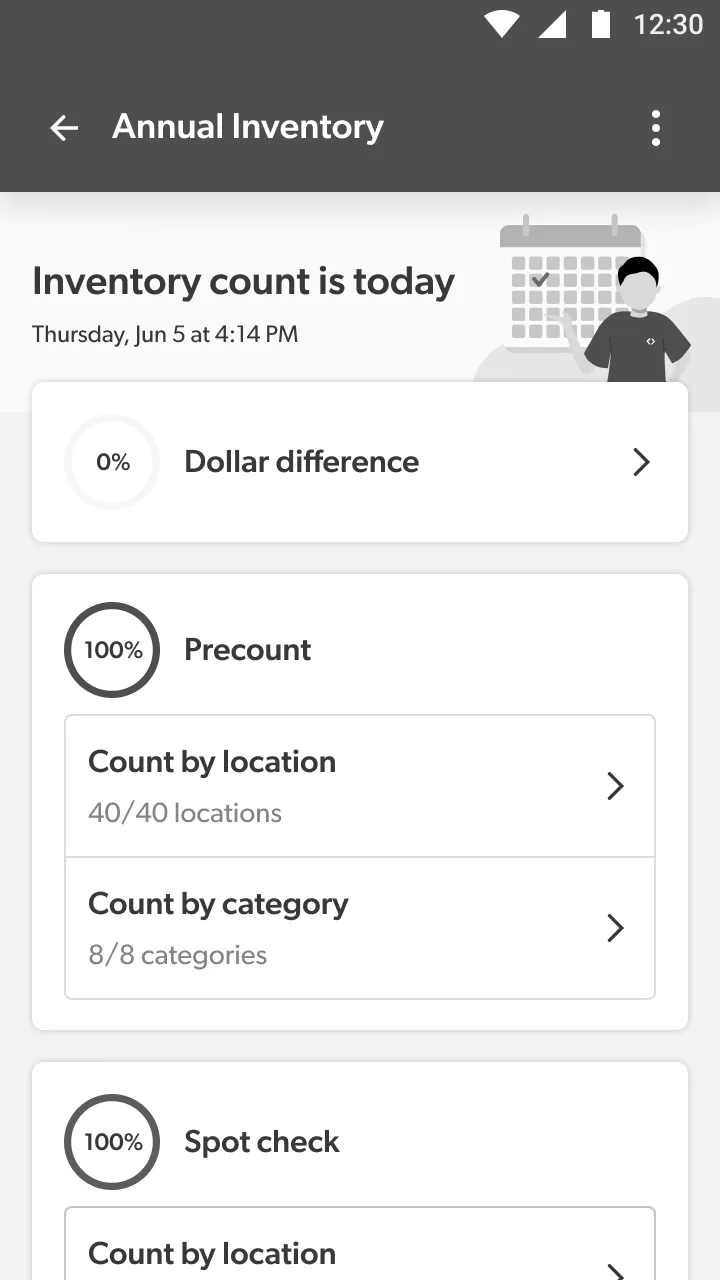
One link to a nested dashboard
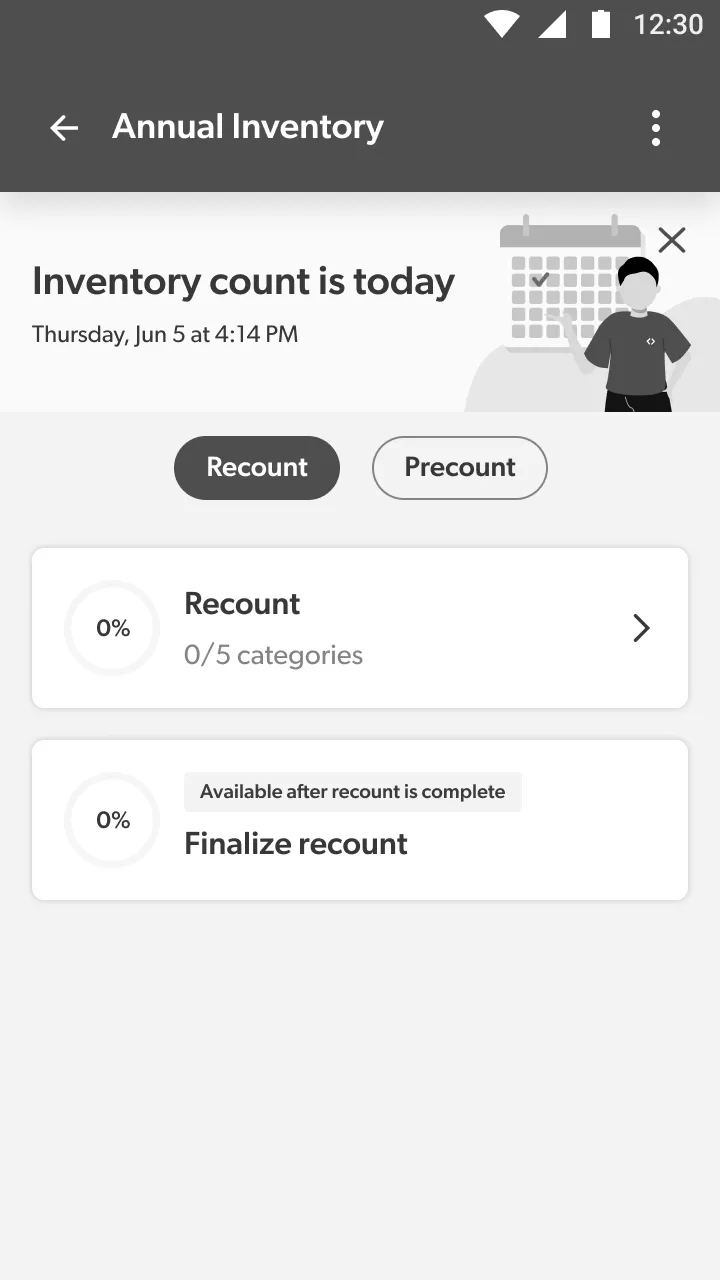
Tabs for precount and recount tasks
The dashboard as the top level
Filters were weirdly contentious
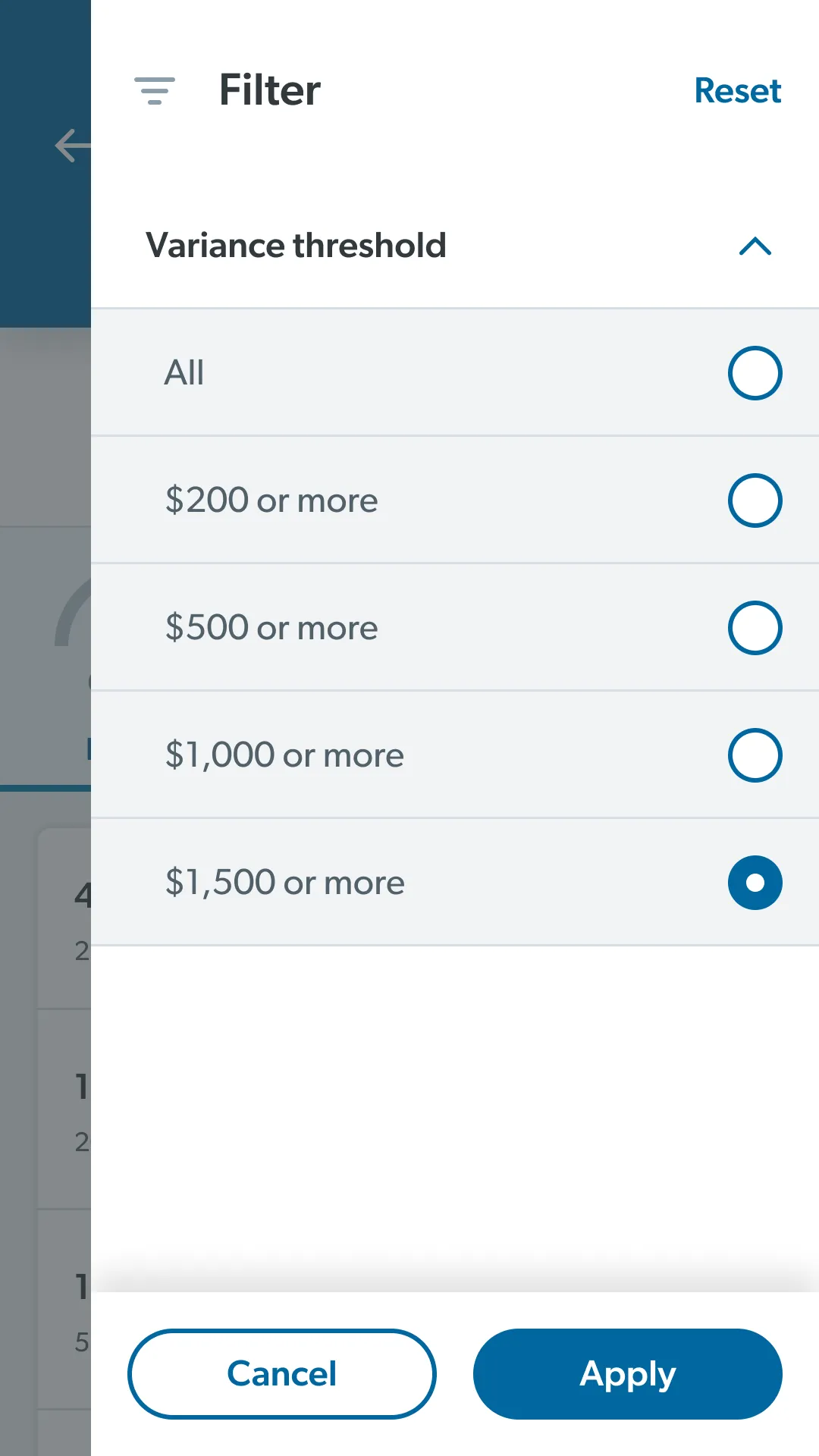
Nobody expected filters to be the fight. Habits and business rules carried over from paper: variance over $1,500 needs a sign-off, and items under $200 were expected to be approved automatically. Getting the right data from the 3rd party didn’t help.
Managers in testing were fine with a $200 default, but they were clear about two things: they wanted to see every variance when they chose to, and nothing should change on-hands without their sign-off. So the default became “All”, matching OYI. Thresholds of $200, $500, $1,000 and $1,500 sit one tap away, and the list is sorted by highest variance. The filter also works on individual items, not a category’s net total, so a $1,500 loss can’t hide behind a $1,500 gain.
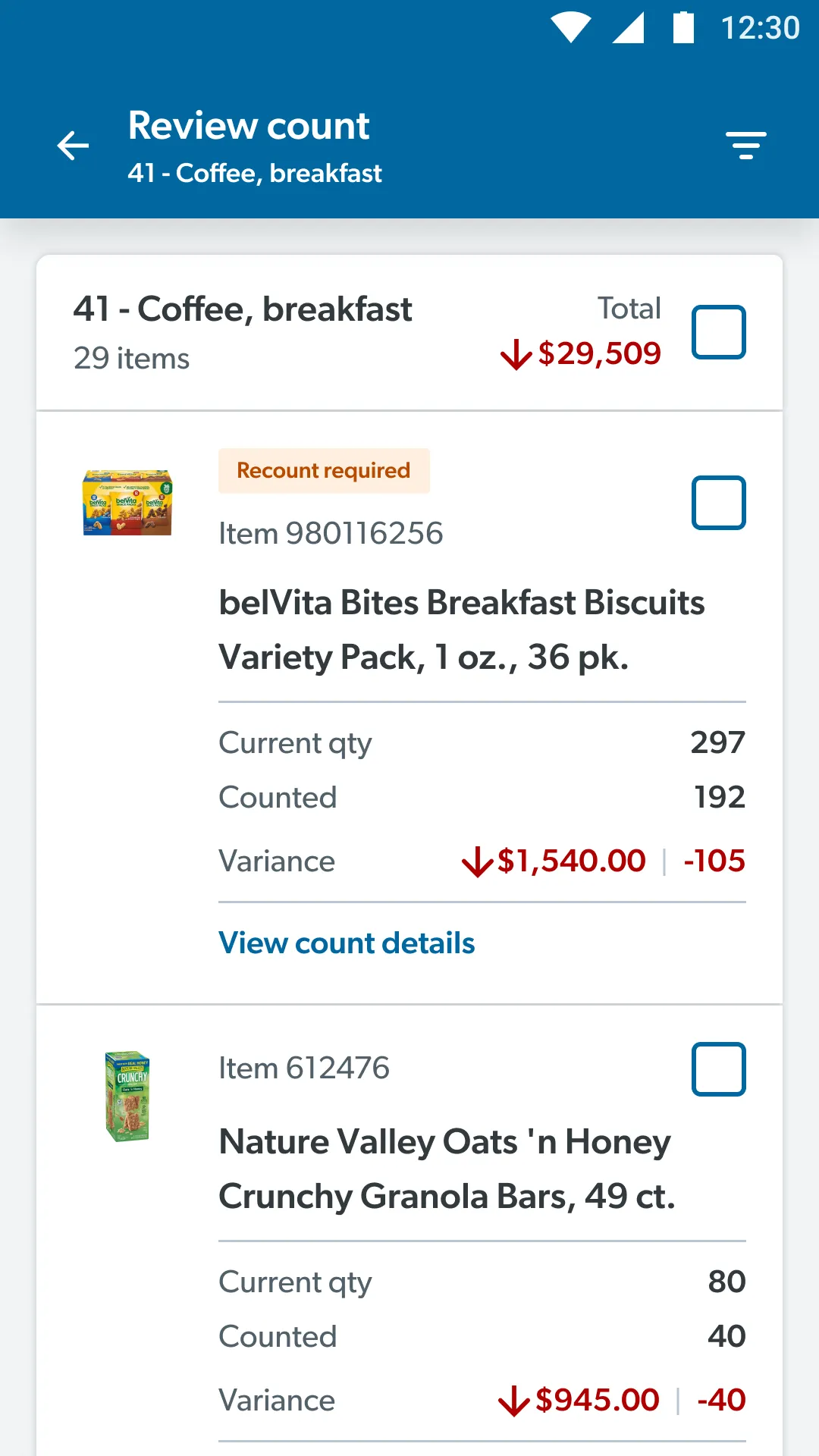
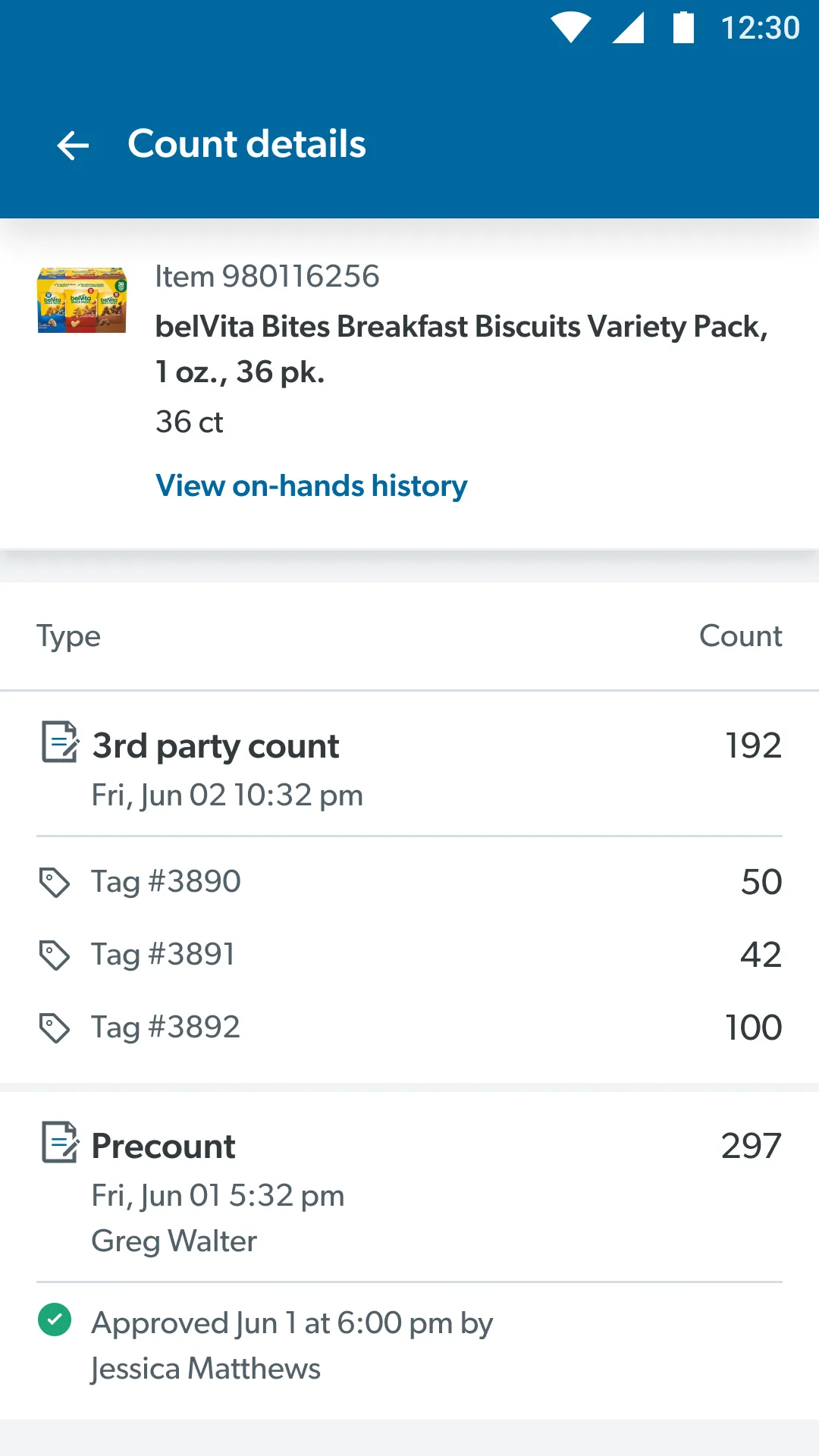
The page we got wrong at first: count details
When a manager questions a variance, they open the item’s count details to see who counted what, and where. We first organized that page by Sam’s own locations. It made sense to us, but the 3rd party doesn’t use our locations.
The 3rd party walks the club and re-tags every area with its own IDs, duplicating Sam’s tags, and everyone works from a printout to translate between them. Their counts arrive grouped by their tags, not ours. So we rebuilt it around how the 3rd party’s data actually comes in: the 3rd-party count broken out by their tags, the associates’ precount beneath it, and who counted and approved each one.
Managers at The Clubhouse liked this version, and said that mapping the 3rd party’s tags to club locations would be a huge win, so that became a next step. We also cut a few extra numbers that made people unsure which one was the real total.
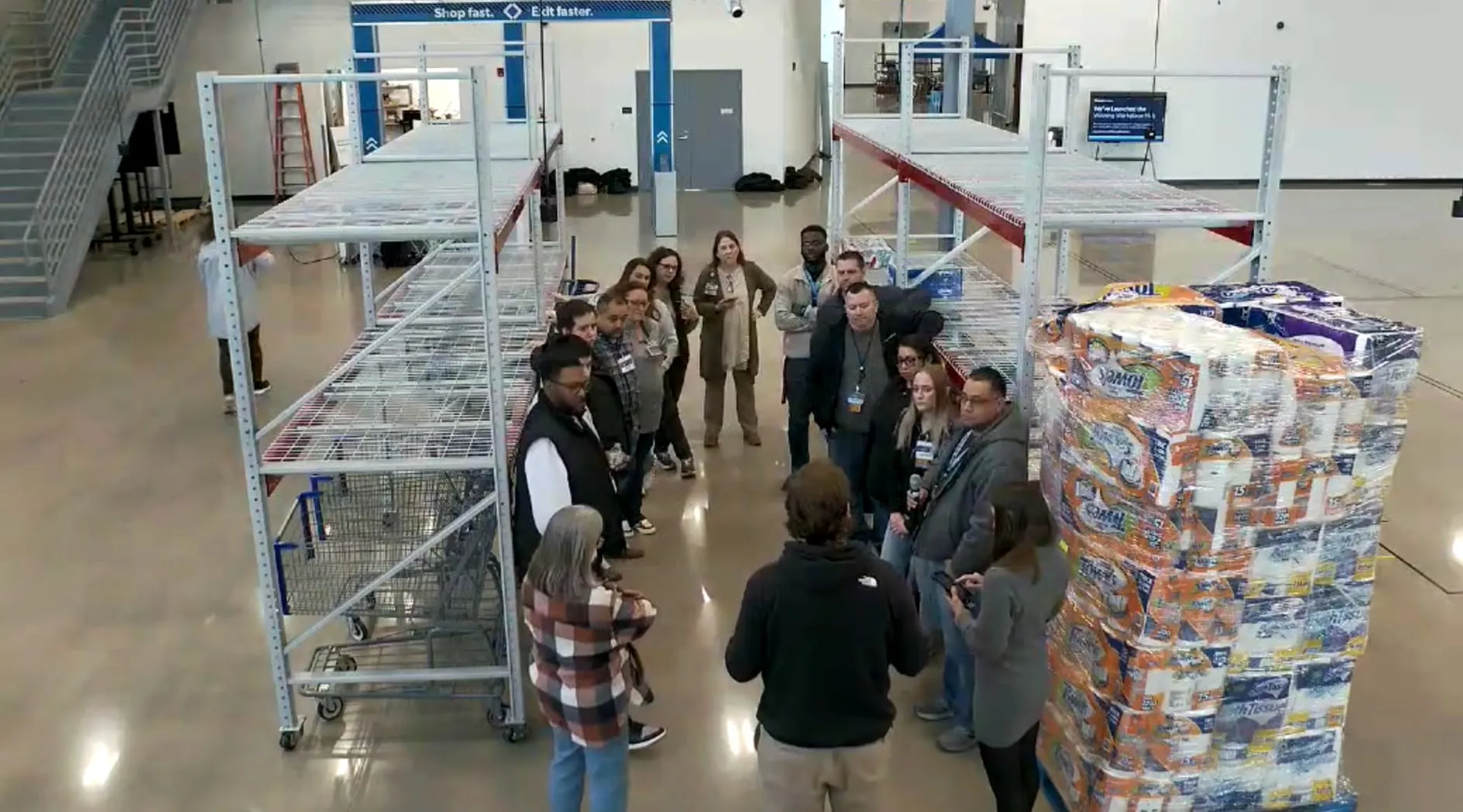
Testing at The Clubhouse
The Clubhouse is Sam’s full-scale model club in Bentonville. We could run a full simulation of inventory night there without getting in the way of a real store’s day-to-day flow. We set it up just like the real thing, then watched associates precount on the dev build and walked managers through the dollar difference flow.
Participants were MAPMs (market asset protection managers), club leads, managers and hourly associates, with between 1 and 31 years at the company.
The test had gaps of its own. The pallets had no labels, so we couldn’t test pallet scanning, and a bug kept the Review button from turning on. We logged both, and next time we’d schedule sessions by role.
- It was easy to use. People rarely had to stop and think about where to go next.
- Managers liked the progress dials. They showed where the count stood at a glance.
- The barcode was obvious. Two of three associates reached for their handheld as soon as they saw scanning.
- Approving made managers nervous. One tap felt too final, and they couldn’t tell when they were actually done.
Rewriting the last tap
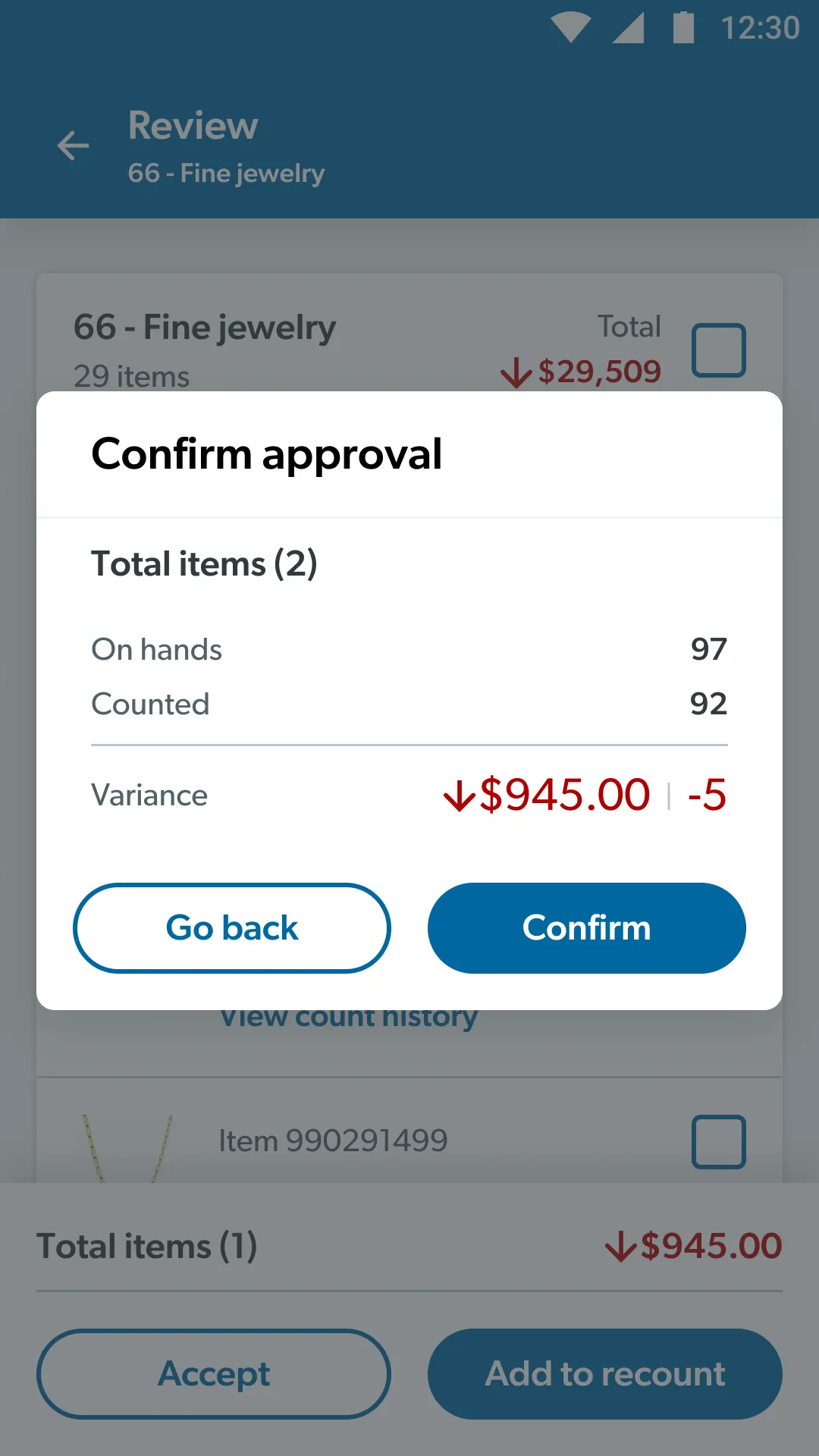
Approving a count changes the club’s on-hand numbers. On paper, that meant signing a printout. In the app it’s one tap, so that confirmation screen had to do a lot of work.
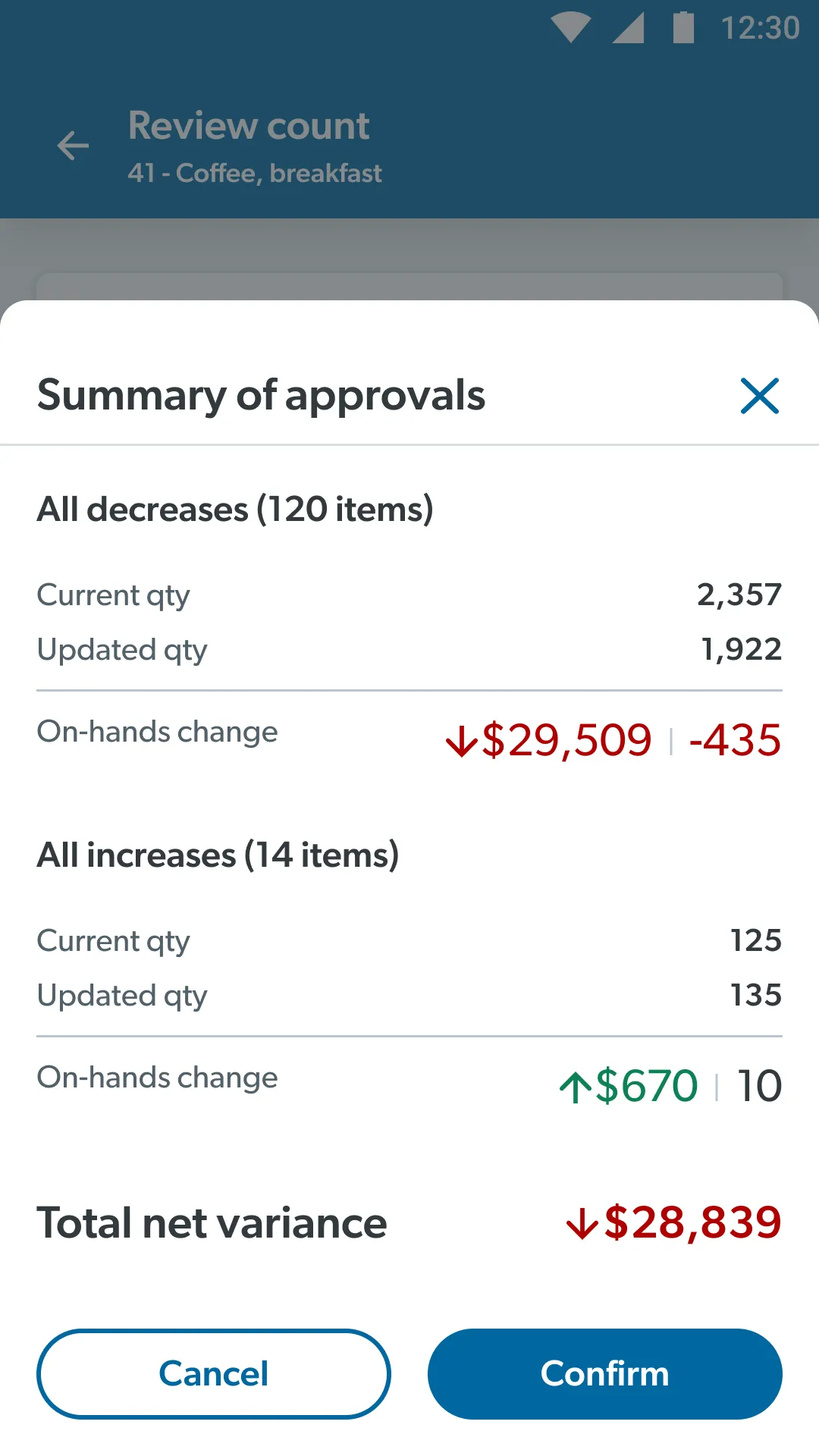
Our first version was a small “Confirm approval” dialog. It wasn’t a bare “Are you sure?”, but it rolled everything into one set of totals: items, on-hands, counted and variance. It showed a number but didn’t say what would happen to it. Managers wanted more.
So we changed the content. The new summary splits decreases from increases and shows before and after quantities, plus the total net variance. It’s laid out like the OYI audits managers already sign. Cancel changes nothing.
At The Clubhouse, managers recognized the summary straight away. But the final tap still felt like there was no way back, and they asked for undo and a clear sign the count was finished. Those became next steps.
What changed: Paper’s out. It’s running in pilot clubs.
When I left, the app was in pilot at a few clubs, already cutting weeks off precounts and tightening up variance.
The people using it wanted it. In testing, associates and managers were excited to see the “archaic” paper process go, and moved through both flows with little confusion.
Measured in the pilot
- 4 weeks
- less time spent on precounts
- Up to 35%
- net variance improvement, in most clubs
Projected
- ~7M
- pages of paper removed
- 304k
- manual tasks eliminated
- $335k
- saved per year, from paper alone
Looking back: I wish I’d joined earlier, and brought more Red Bull.
This is one of the most impactful projects I’ve worked on. Moving a process from pen and paper to digital is a real quality-of-life improvement for everyone involved at Sam’s, from associates on the floor to the asset protection and operations managers who oversee them.
I underestimated how much knowledge of the old process would shape the new one. Years of paper habits decided what managers expected from the dashboard, the filters and the approval. Designing the flow also meant designing for that change, especially for longer-tenured associates.
If I could do it again, I’d get involved earlier. I’d go to more inventory nights and talk with more MAPMs and associates up front about what would help them. A lot of what we discovered deep into the project could have surfaced in the first few weeks.